

Overview
A renewal path controls which product a subscription or membership renews into. By default, with no renewal path, a Purchase Activity renews into the same product it currently holds. With renewal paths, you decide that a subscription renews into a different product instead — for example, moving a first-year member onto a standard membership product. Renewal paths are stored asRenewal_Path__c records. When the renewal job runs, it looks for a renewal path whose Original_Product__c matches the product on the Purchase Activity, then renews into the matching Renewal_Product__c.
Prerequisites
- The product you are renewing from and the product you are renewing into both exist as active products.
- You know which product should follow which — and, if the choice depends on data, which Condition record decides eligibility.
How to Create a Renewal Path
1
Open the Renewal Paths list
Click the App Launcher, type
Renewal Paths, and select it. The App Launcher is the nine-dots icon at the top-left of Salesforce; it lists every app and object you can open.2
Start a new record
Click New at the top-right of the Renewal Paths list.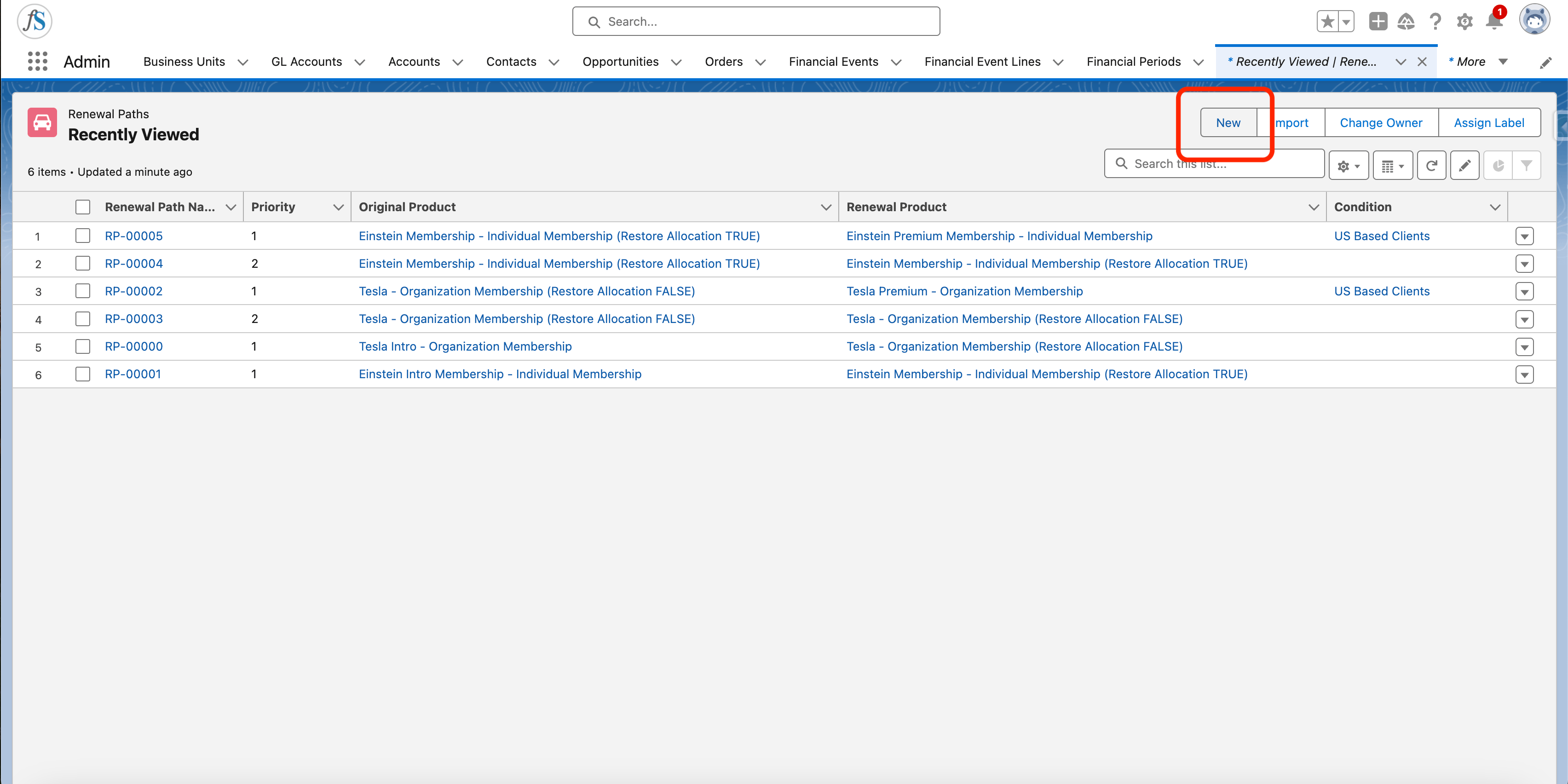
3
Fill in the fields
Complete the new Renewal Path: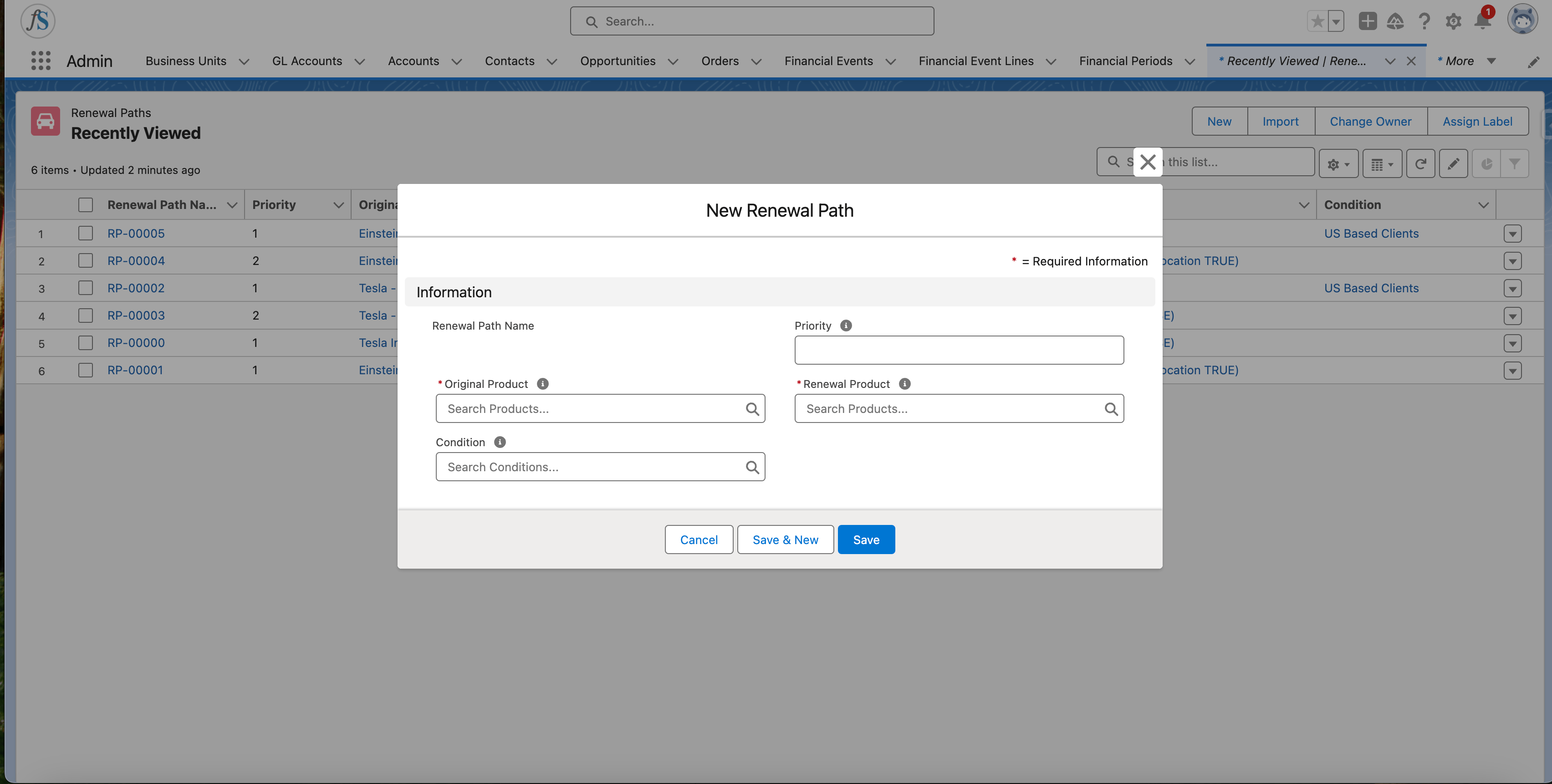
- Original Product (
Original_Product__c) — the product the subscription renews from. - Renewal Product (
Renewal_Product__c) — the product the subscription renews into. It must be active. - Priority (
Priority__c) — the order this path is evaluated in. A lower number is evaluated first. - Condition (
Condition__c, optional) — a Condition record that decides whether this path applies.
4
Save
Click Save.
If you create even one renewal path for a product, also create a default fallback path where the product renews into itself. The fallback path should have no condition and the highest
Priority__c number, so it is evaluated last. Without a fallback, renewals for that product can fail.How a Renewal Path Is Chosen
When the renewal job renews a Purchase Activity, it gathers everyRenewal_Path__c whose Original_Product__c matches the current product, then evaluates them in Priority__c order — lowest number first. The first path whose Condition__c is satisfied (or that has no condition) wins, and the subscription renews into that path’s Renewal_Product__c.
If no renewal path matches, the subscription falls back to renewing into its current product.
Renewal Path Fields Quick Reference
For details on building Condition records, see the Conditions guide.
Limitations and Common Pitfalls
- The renewal product must be active. If the matched
Renewal_Product__cis inactive, renewal fails withRenewal_Error_Product_Not_Active_V2. If no renewal product can be resolved at all, renewal fails withRenewal_Error_Renewal_Product_Not_Found_V2. Keep your renewal products active and always provide a same-product fallback path. Priority__corders evaluation, lowest first. Two matching paths with the same priority leave the winner undefined. Give each path a distinct priority.- A renewal path needs both products. A
Renewal_Path__crequires both an original and a renewal product; without both it errors. The original product cannot be flaggedIs_Not_Renewable__c.