Set up the Stripe webhook for a connected account so payment status changes sync back into fusionCore.
A webhook is a URL that Stripe calls to push events back into your org. When a payment succeeds, fails, or is refunded, Stripe sends a message to this URL so your Payment Provider Account (the Salesforce record FCORE_PAY__Payment_Provider_Account__c that holds one Stripe connection’s configuration) and related order records stay accurate without manual updates.This guide sets up a webhook for a connected account — the default model, where your org is a connected account under fusionSpan’s platform Stripe account.
If you are setting up a Stripe Direct account (your org’s own standalone Stripe account), complete the extra steps in Stripe Direct accounts first, then return here for the webhook steps.
Set the Permission Set for the Stripe Site Guest User
A Salesforce Site exposes a public URL that Stripe can reach without logging in. The site guest user is the anonymous user that runs requests to that URL. You give that user the permission set group it needs to process the inbound webhook.
1
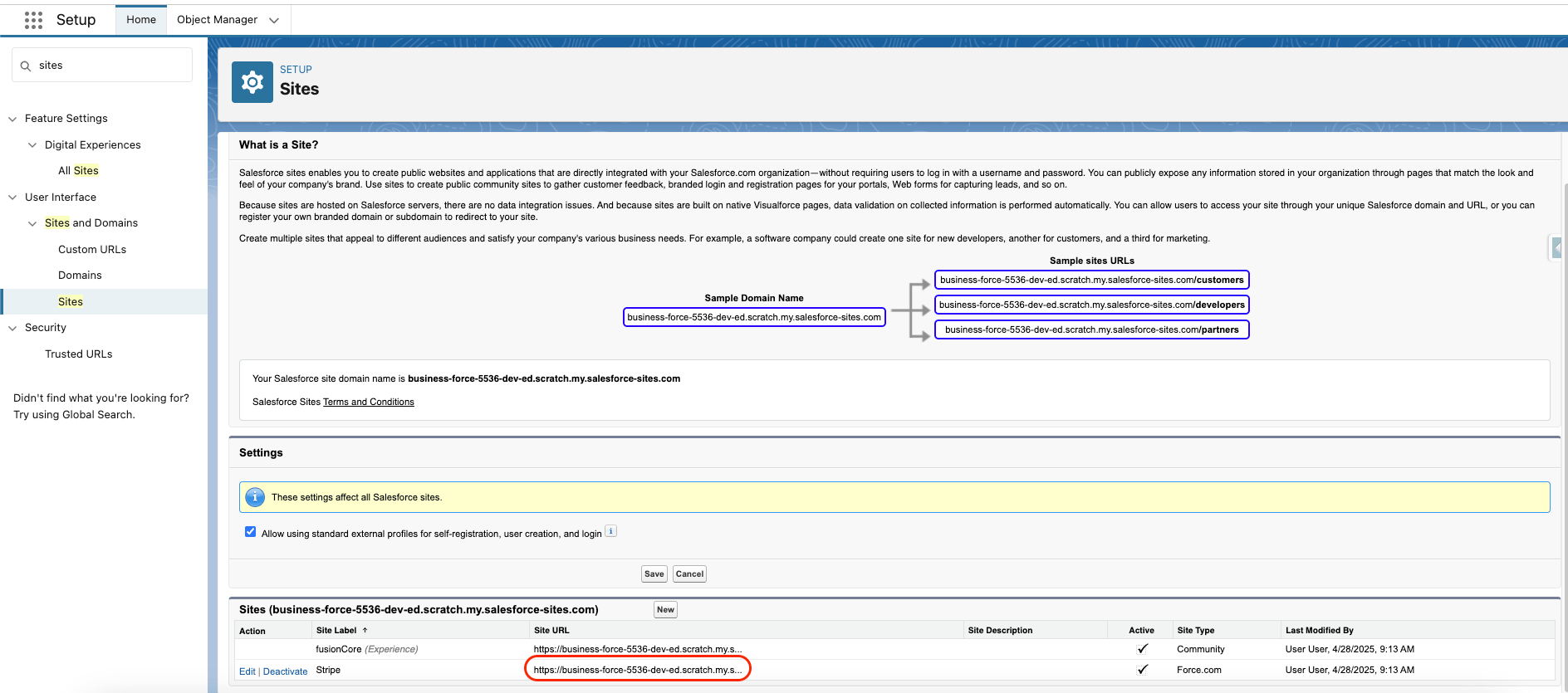
Open Sites in Setup
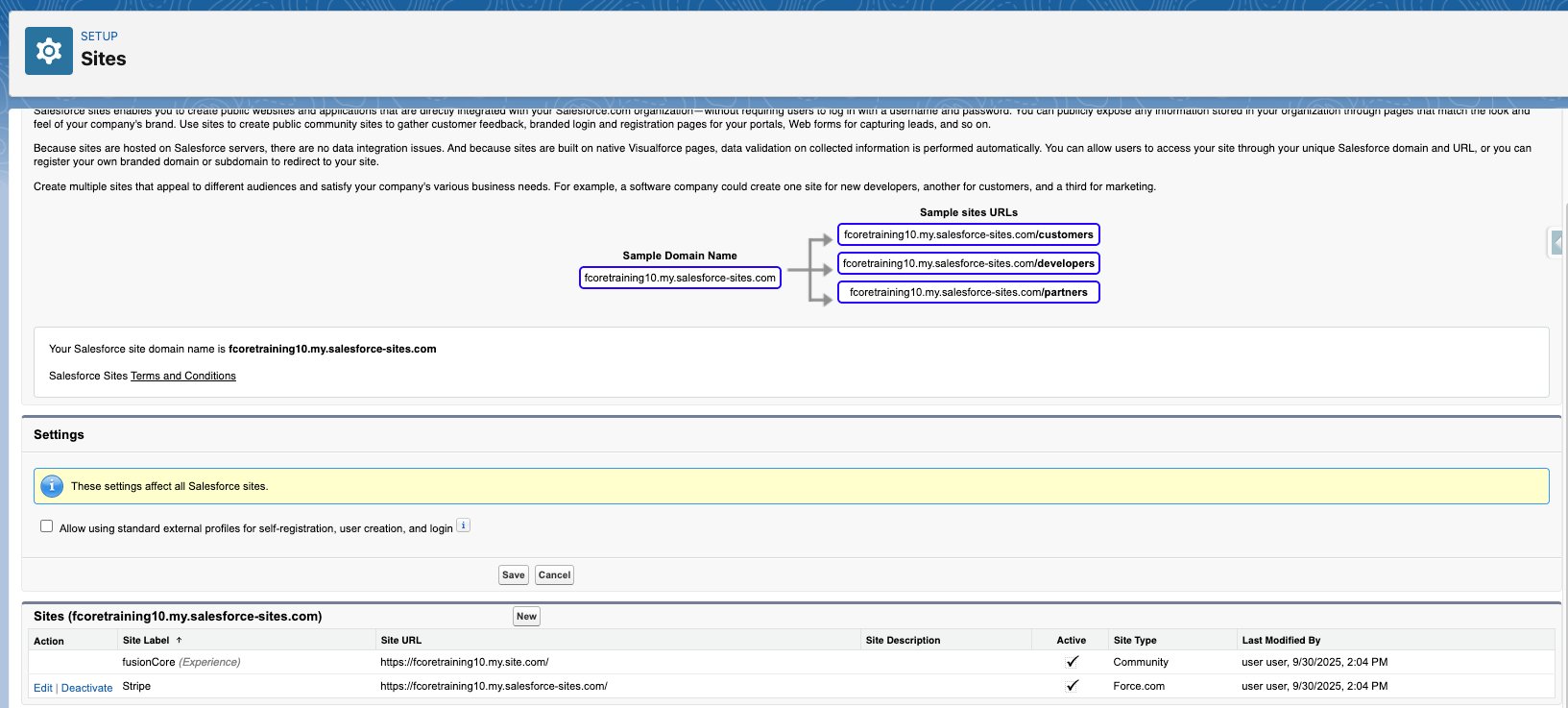
In Salesforce, go to Setup and type Sites in the Quick Find search bar on the left.Click Sites — notAll Sites.
2
Register the site domain if prompted
If a registration page appears, select the checkbox and click Register My Salesforce Site Domain.
Registering the Salesforce site domain
3
Confirm the home page
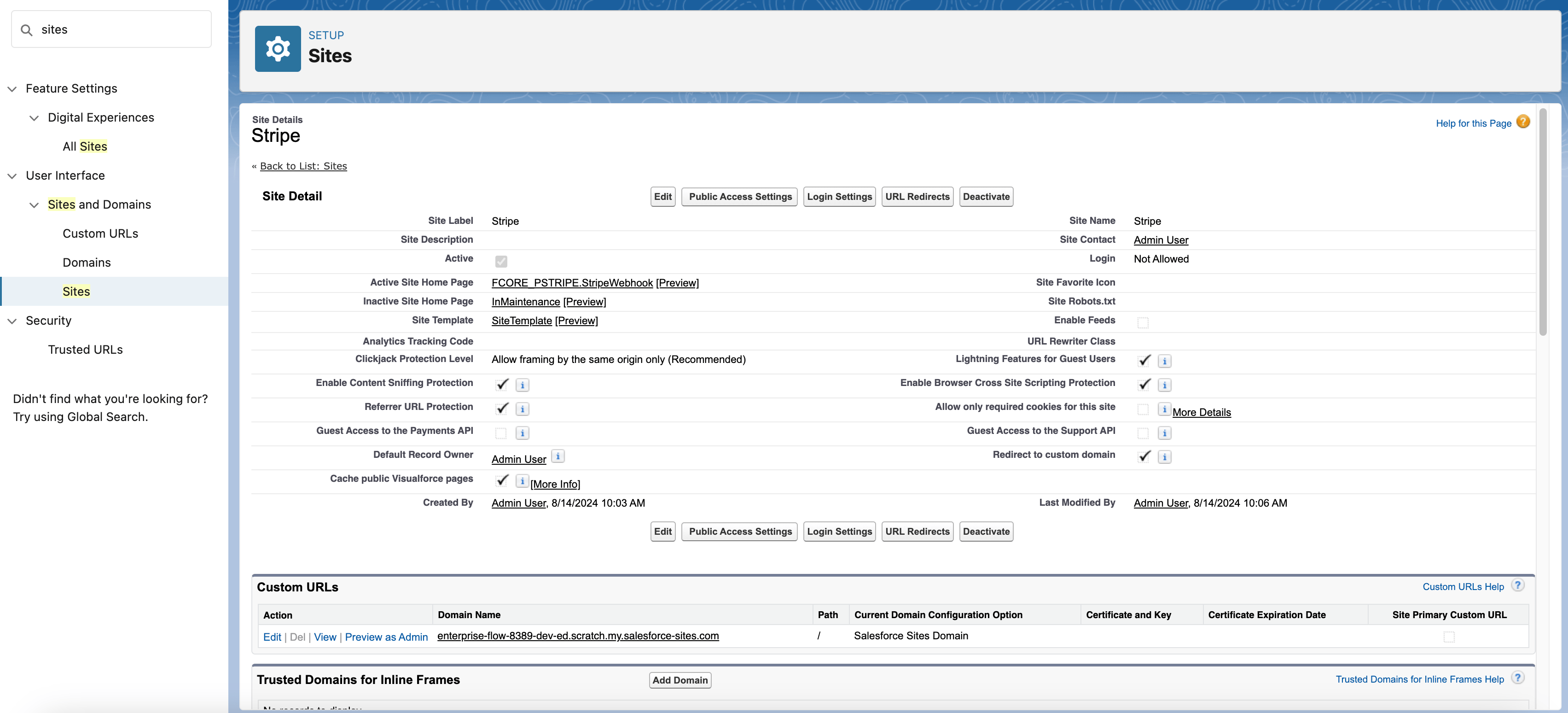
Make sure StripeWebhook is assigned as the home page for the site.
Site configuration with StripeWebhook set as the home page
4
Open the guest user's settings
Click Public Access Settings, then click View Users, then click Site Guest User.
5
Assign the permission set group
In the Permission Set Assignments section, click Edit Assignments.Assign the permission set group fusionCore - Stripe Site Guest User to the site guest user, then save.
You now register your Salesforce site URL with Stripe and tell Stripe which events to send.
Log into the correct connected account before you create the webhook — not the fusionSpan/fusionCore platform Stripe account. If the webhook is created on the platform account, the Card/ACH payment modal stays stuck on loading and will not work.
1
Log into the connected account
Open a separate browser tab and log into the Stripe connected account you want to accept payments under.
2
Create the event destination
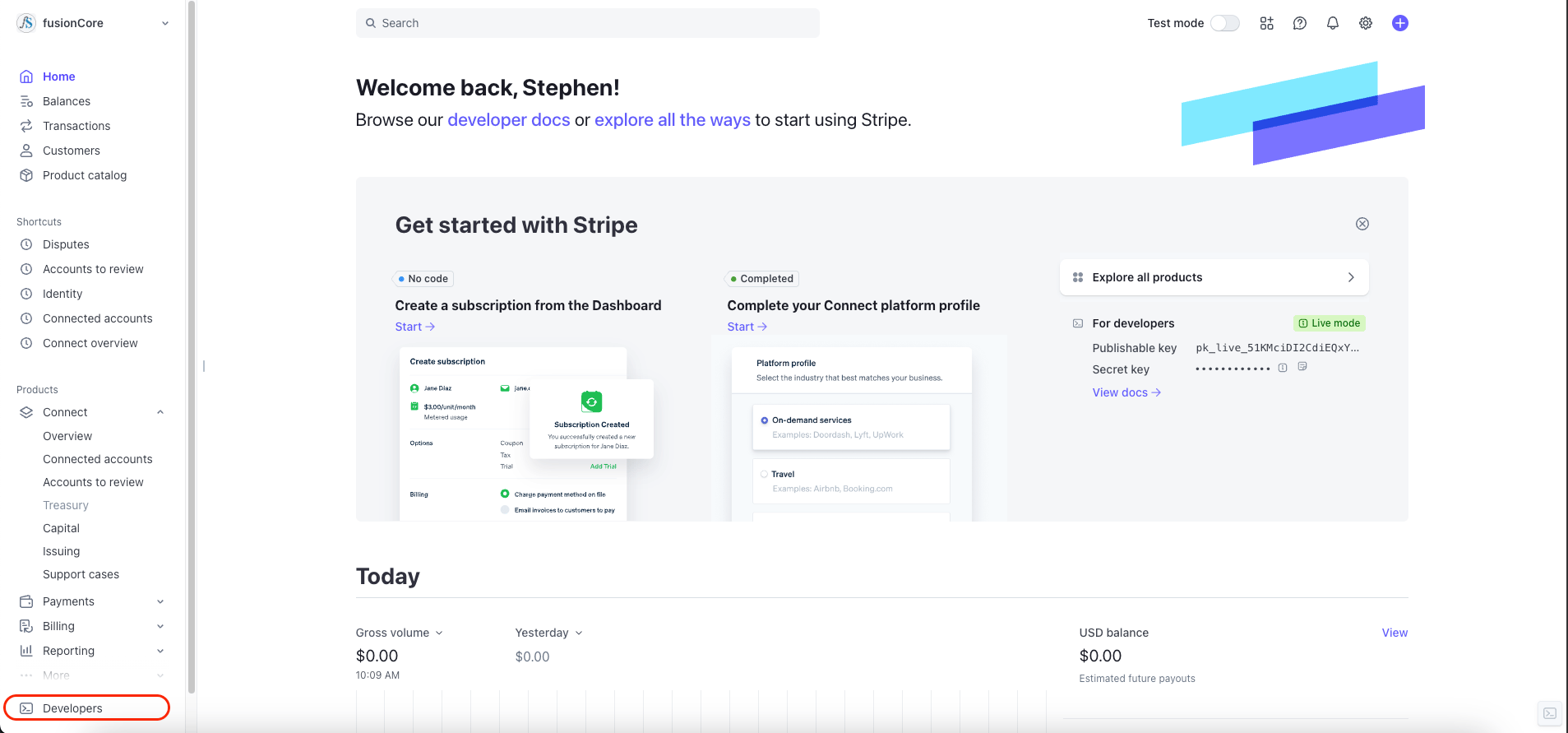
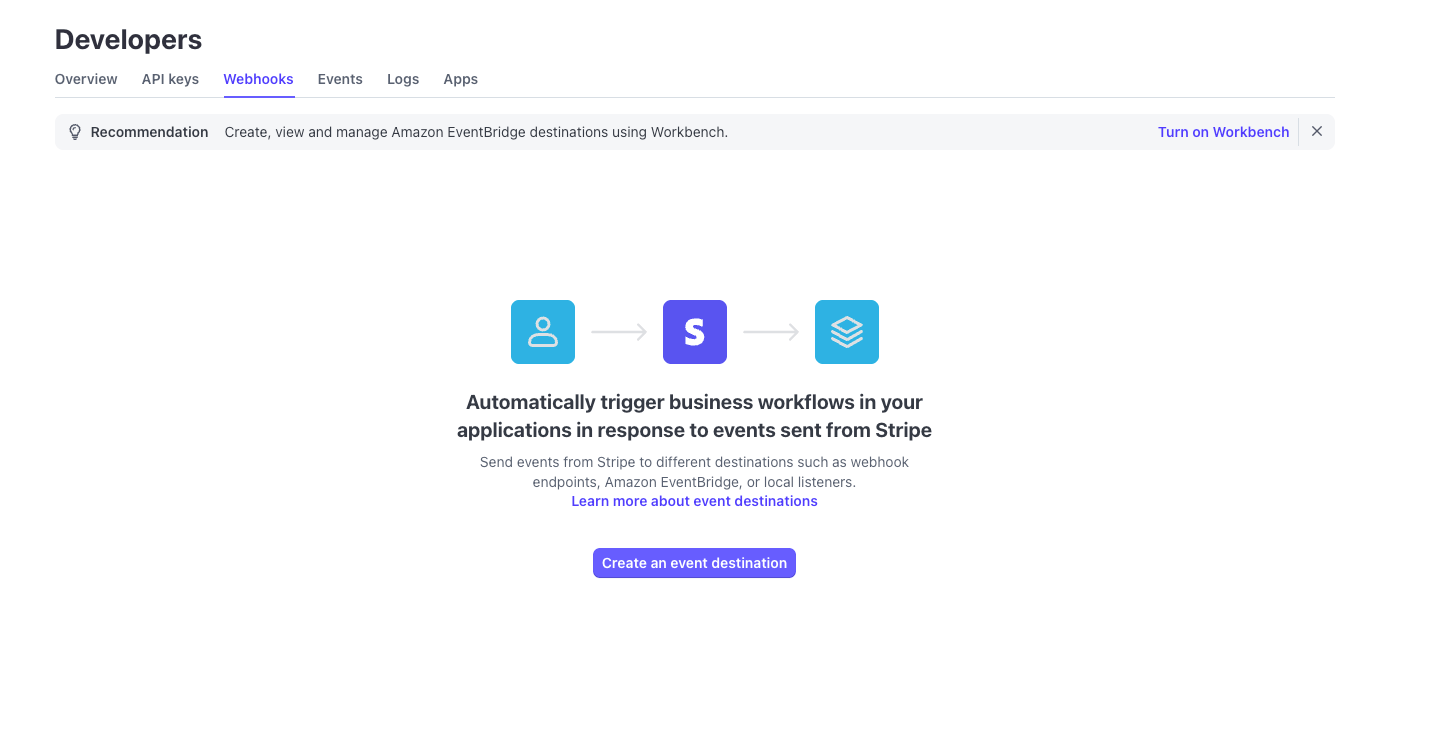
In Stripe, go to Developers → Webhook → Create Event Destination (bottom left).
Stripe Developers menu
Stripe Create Event Destination screen
3
Copy your Salesforce site URL
Back in Salesforce, on the Sites page, right-click the site URL and choose Copy Link Address.
Copying the Salesforce site URL
The site URL resembles https://example-org.my.salesforce-sites.com/.
4
Build the endpoint URL
Append /services/apexrest/FCORE_PSTRIPE/Stripe to your site URL. This is the Apex REST endpoint (FCORE_PSTRIPE.StripeWebhookAPI) that receives Stripe’s events.The final endpoint URL resembles:https://example-org.my.salesforce-sites.com/services/apexrest/FCORE_PSTRIPE/StripePaste this into the Endpoint URL field in Stripe. Use the exact URL with no extra slashes or spaces.
5
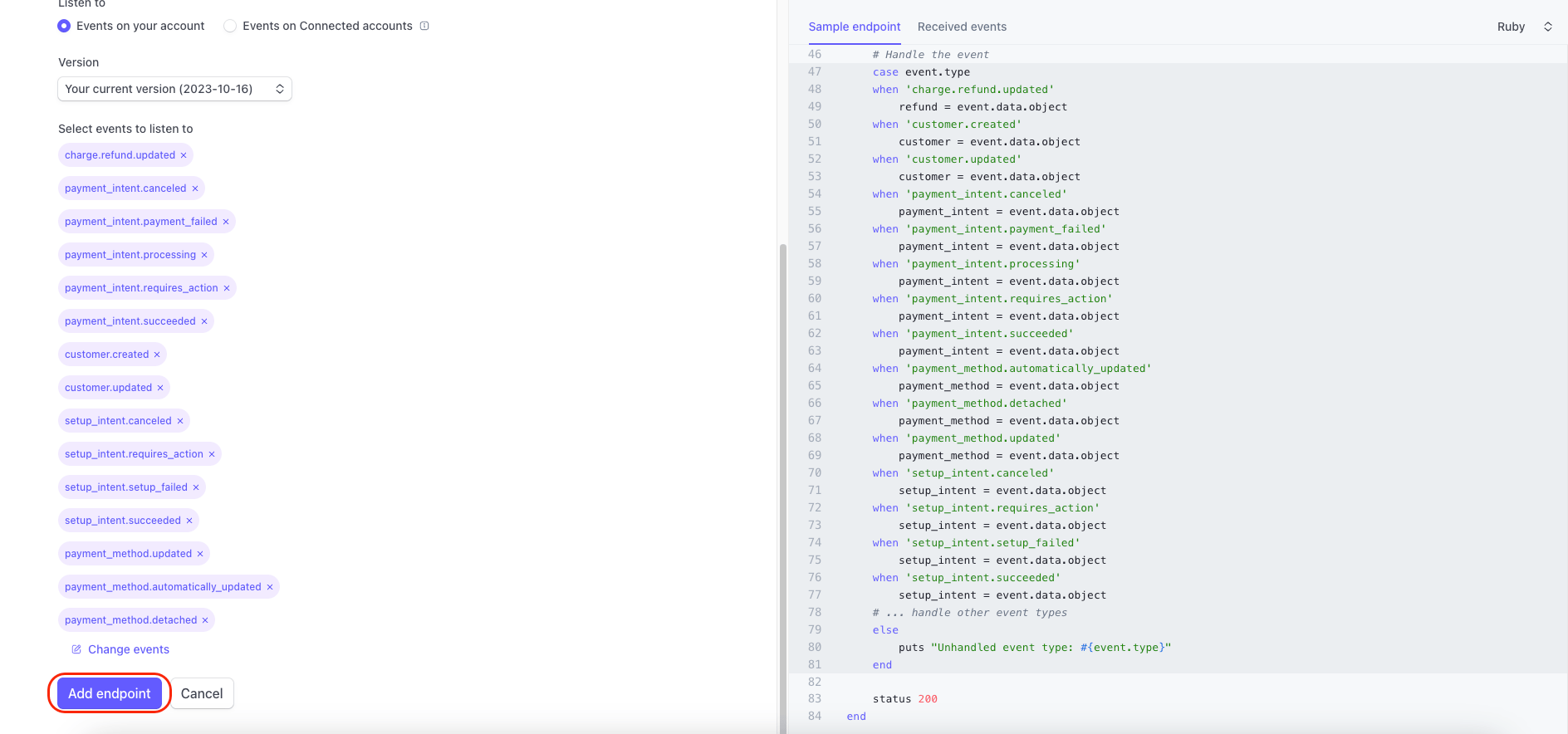
Subscribe to the required events
Add these 15 events for the webhook to listen to:
charge.refund.updated
payment_intent.canceled
payment_intent.payment_failed
payment_intent.processing
payment_intent.requires_action
payment_intent.succeeded
customer.created
customer.updated
setup_intent.canceled
setup_intent.requires_action
setup_intent.setup_failed
setup_intent.succeeded
payment_method.updated
payment_method.automatically_updated
payment_method.detached
Subscribe to exactly these events. fusionCore returns an error for event types it does not handle, which adds noise to the Stripe_API_Log__c records. Stripe may automatically add payment_method.card_automatically_updated, so you might see 16 entries — that extra one is expected.
After the webhook is created, validate the Payment Provider Account to confirm the connection works end to end. Validation checks your keys, signing secret, and payment types, then creates a Stripe test customer. When Stripe sends the customer.created or customer.updated event back through the webhook, the validation status flips to Succeeded.
If you are setting up a Stripe Direct account, complete the steps in Stripe Direct accounts before validating.
1
Open the Payment Provider Account
Go to the Payment Provider Account record (FCORE_PAY__Payment_Provider_Account__c).
2
Click Validate
Click the Validate button.
3
Confirm the status
If everything is configured correctly, FCORE_PAY__Validation_Status__c changes from Pending to Succeeded. Once it reads Succeeded, you are ready to take payments.If there is a problem, the Validation Message field (FCORE_PAY__Validation_Message__c) shows the reason.
Validation is asynchronous. Clicking Validate does not set Succeeded on its own. It creates the Stripe test customer and waits for the inbound customer.created or customer.updated webhook to flip the status. If the webhook is misconfigured, validation never completes even when your keys are correct. The customer event is also accepted only if it arrives within roughly 10 seconds, so retry validation rather than waiting on a stale event.
Editing key fields silently resets validation. Changing FCORE_PAY__External_Id__c, FCORE_PAY__Request_Signature_Secret__c, or Stripe_MDT_Prefix__c on the account clears FCORE_PAY__Validation_Status__c. Re-run Validate after any of those edits.
Webhook failures are easy to miss. If the Stripe-Signature header is missing or invalid, the signature does not match a Payment Provider Account’s signing secret, or the request is older than 300 seconds, fusionCore returns HTTP 204 and does nothing. Stripe treats 204 as success and will not retry, so a misconfigured webhook can fail quietly. Check the Stripe_API_Log__c records if events are not arriving.
Events from the wrong org or mode are dropped. Events whose org id does not match your org, or whose live/test mode does not match the account’s mode, are accepted with HTTP 204 and ignored.
A Secret/Public-key validation error in production often means test mode. If validation fails in production with a key error, the account may need FCORE_PAY__Force_Test_Mode__c set to true so it uses the sandbox keys. Confirm with the fusionCore team before changing this on a live account.
External Id must be unique. Two Payment Provider Accounts with the same FCORE_PAY__External_Id__c cause validation to fail with “Multiple Payment Provider Accounts were found with the same External Id.”
Alipay and WeChat Pay are not available on connected accounts. Those methods require the Stripe Direct model. On a connected account, adding them is blocked.
Assistant
Responses are generated using AI and may contain mistakes.