

Overview
In fusionCore, Contacts are the people associated with an Account. They can represent:- Staff or employees of a corporate member.
- Individual members, set up as Person Accounts (if enabled).
- Sponsors, donors, or volunteers associated with an organization.
A Contact does not have to be linked to an Account. However, a Contact with no Account cannot create Orders through fusionCore automation, because that automation requires an Account.
How to Create a Contact
1
Open the Contacts list
Click the App Launcher, type 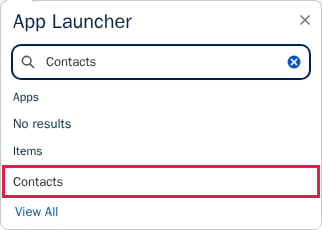
Contacts, then click Contacts.2
Start a new Contact
Click New in the top-right corner.
3
Fill out the Contact information
Enter the Contact Information. Last Name is required. Fill out any other fields you have information for.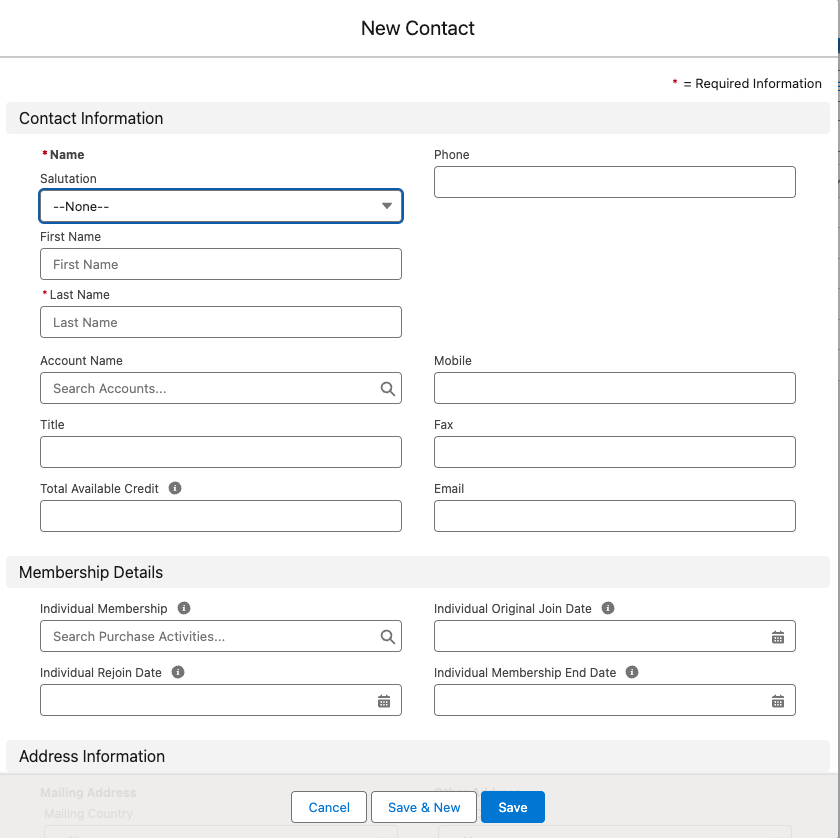
4
Save the Contact
Click Save.
fusionCore Fields on the Contact
fusionCore adds the following fields to the Contact record. The field labels include the word “Individual”. The API names below include the package prefix (FCORE_PAY__ for Commerce fields and FCORE_MEM__ for Subscriptions fields).
The Individual membership, join date, rejoin date, end date, and membership lookup fields are populated automatically. Do not edit them by hand — fusionCore overwrites any value you type in with the value it calculates, so your manual change will not stick.
You can read more about the membership fields on the Contact here.
Related Features
Once you can create and read Contacts, these features explain the data that flows onto them and the ways a Contact can be used.Account Address Flow Down
How an Account’s Billing Address flows down to a related Contact’s Mailing Address.
Person Account Support
When a Contact is an individual member, stored as a combined Account and Contact in one Person Account record.
Membership info on Account and Contact
What populates the Individual Membership and credit fields you see on the Contact.