

Prerequisites
Custom Address Fields
Custom Address Fields let Salesforce store addresses as a single, structured field. fusionCore relies on them.Open User Interface settings
User Interface in the Quick Find box. The results show a parent menu and a clickable submenu item, both named User Interface. Click the submenu User Interface item (the clickable page).Enable the setting
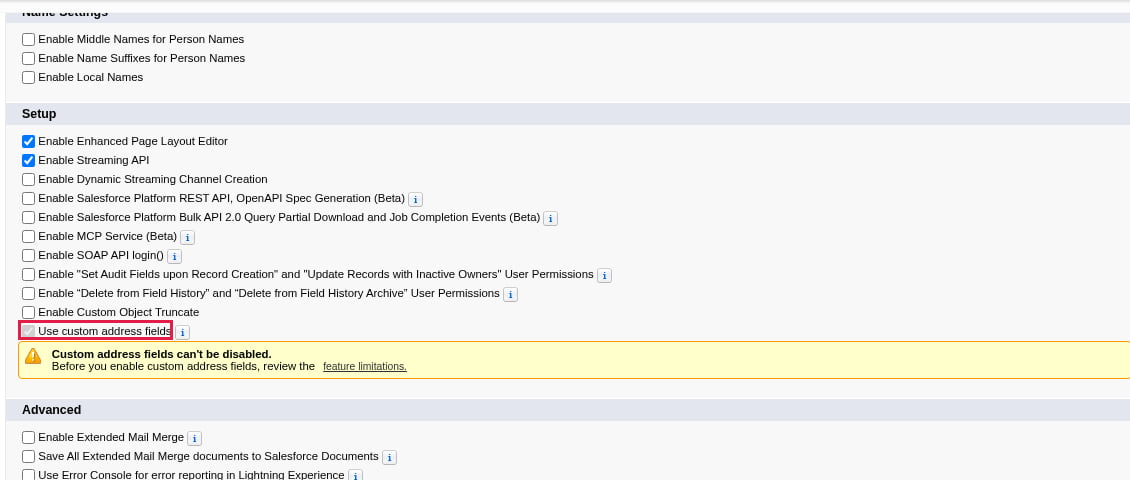
The Use custom address fields checkbox on the User Interface setup page
Save
State and Country Picklists
State and Country/Territory picklists replace free-text state and country fields with standardized, selectable values.Configure the picklists
State and Country/Territory Picklists in the Quick Find box. Click Configure States, Countries, and Territories, adjust the mappings as needed, then click Save.Scan for existing data
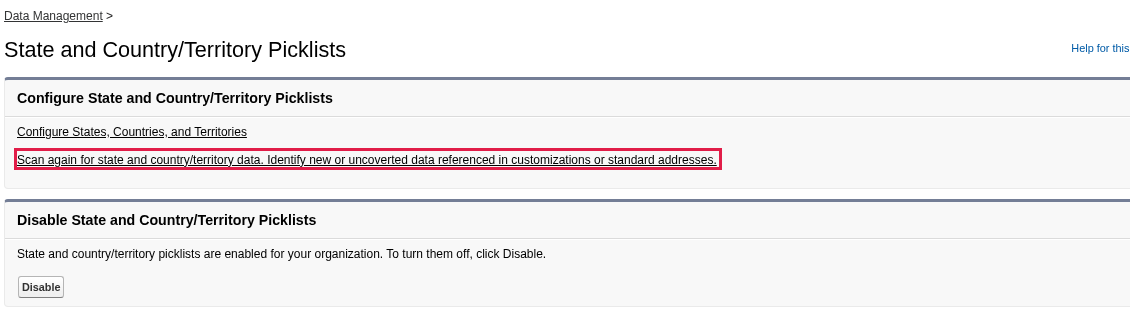
The scan link on the State and Country/Territory Picklists setup page
Convert identified data
Map mismatched values
Repeat for states
Enable the picklists
Person Accounts enablement (If applicable)
if you are working on an implementation that involves Person Accounts (for example, working in an NPC org), then you will need to ensure that Person Accounts are enabled. The steps for doing so can be found here.Multi-currency enablement (If applicable)
if you are working on an implementation that involves multi-currency, then you will need to ensure that multi-currency are enabled. The steps for doing so can be found here.Install the Packages
fusionCore is delivered as several packages that you install in a set order. The fusionCore team provides the current installation URL and installation key for each package. Install them in this order:- Platform (Managed)
- Commerce (Managed)
- Subscriptions (Managed)
- Stripe (Managed)
- Portal (Managed)
- Financial Period Reports (Unmanaged)
- Financial Documents (Unmanaged)
- Portal Components (Unmanaged)
- Committees (Unmanaged)
- Layouts (Unmanaged)
- Reports (Unmanaged)
- Rest APIs
- Person Account Layouts (Unmanaged)(ONLY if Person Accounts enabled)
Manually Installing Packages
Build the installation URL
https://<your-org>.lightning.force.com/packaging/installPackage.apexp?p0=<package-id>Replace <your-org> with your org’s domain. The <package-id> and the matching installation key are supplied by the fusionCore team for each package.Open the install page
Choose install options
Wait for the install to finish
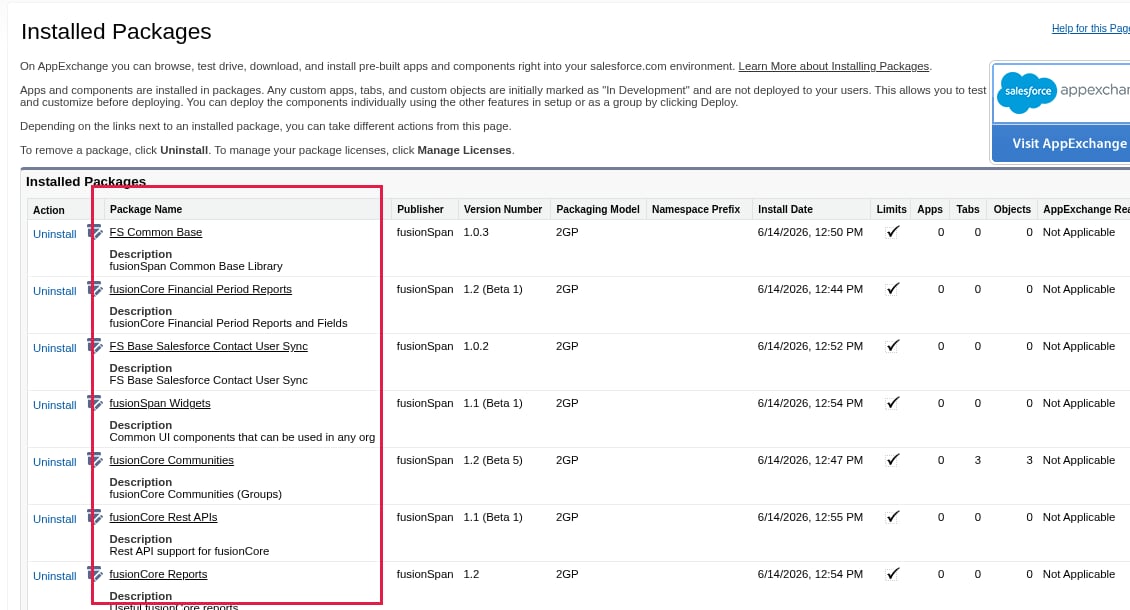
The Installed Packages page in Setup, where you confirm the fusionCore packages installed
Post-install Setup
Assign Permission Sets
Open Permission Sets
Permission Sets Groups in the Quick Find box, then select Permission Sets.Choose a permission set group
- Accounting User - for accounting staff users
- Standard User - for standard staff users
- Integration User - for all users paying with Stripe
- Portal User - for portal users
Manage assignments
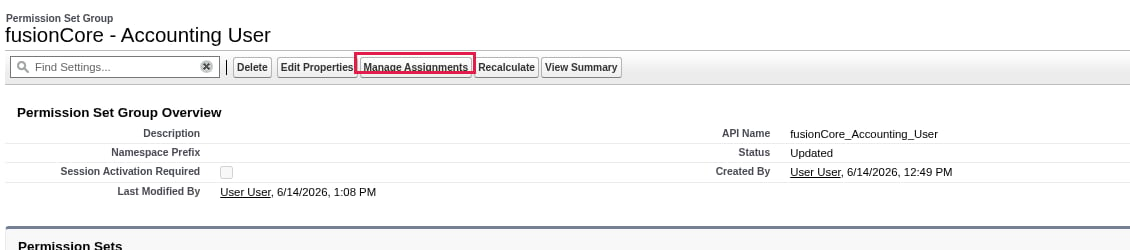
The Manage Assignments button on a permission set group
Assign users
Assign Layouts and Compact Layouts
Assign both the page layout and the compact layout to the appropriate profiles for every object you plan to configure.Objects with layouts and compact layouts
Objects with layouts and compact layouts
- Account
- Contact
- Benefit Allocation
FCORE_PAY__Benefit_Allocation__c - Business Unit
FCORE_PAY__Business_Unit__c - Community
FS_Community__c - Community Member
FS_Community_Member__c - Community Position
FS_Community_Position__c - Condition
FCORE_PAY__Condition__c - Condition Line
FCORE_PAY__Condition_Line__c - Credit
FCORE_PAY__Credit__c - Discount Code
FCORE_PAY__Discount_Code__c - Product Discount Code
FCORE_PAY__Product_Discount_Code__c - Financial Event
FCORE_PAY__Financial_Event__c - Financial Event Line
FCORE_PAY__Financial_Event_Line__c - Financial Period
FCORE_PAY__Financial_Period__c - GL Account
FCORE_PAY__GL_Account__c - Log
FCORE_BASE__Log__c - Opportunity
- Opportunity Product
OpportunityLineItem - Order
- Order Product
OrderItem - Payment Provider Account
Payment_Provider_Account__c - Payment Provider Customer
Payment_Provider_Customer__c - Payment Provider Event
Payment_Provider_Event__c - Payment Provider Event Line
Payment_Provider_Event_Line__c - Payment Type
Payment_Type__c - Pricebook
Pricebook2 - Product Category
FCORE_PAY__Product_Category__c - Product Category Item
FCORE_PAY__Product_Category_Item__c - Product Subscription Plan
FCORE_MEM__Product_Subscription_Plan__c - Product
Product2 - Purchase Activity
FCORE_PAY__Purchase_Activity__c - Renewal Path
FCORE_MEM__Renewal_Path__c - Subscription Plan
FCORE_MEM__Subscription_Plan__c - Stripe API Log
FCORE_PSTRIPE__Stripe_API_Log__c - Wallet Item
FCORE_PAY__Wallet_Item__c
Open the object
Assign the page layout
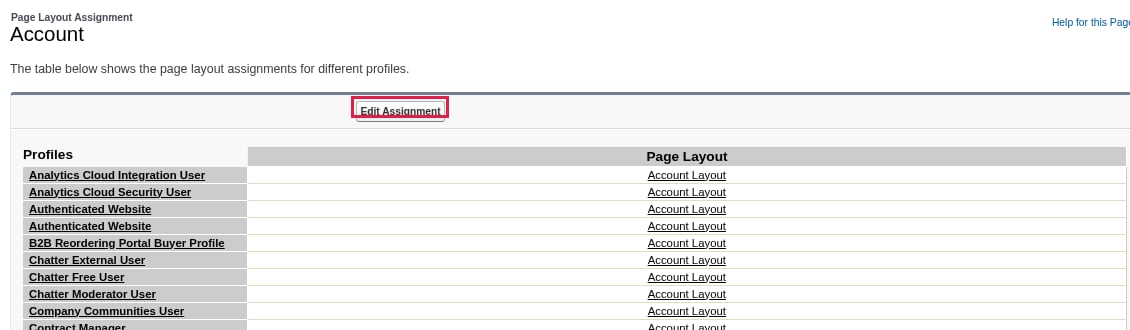
The Edit Assignment button on the Account Page Layout Assignment screen
Assign the compact layout
Schedule Batch Jobs
Verify that the fusionCore batch jobs are scheduled. See Scheduled Jobs in fusionCore.Set Up Stripe
If you collect payments through Stripe, complete the Stripe setup. If you are configuring a connected account Stripe connection, see Setting Up a Stripe Account Overview and Stripe Connected Account Link If you are configuring a direct account Stripe connection, see Stripe Direct Accounts Overview and Stripe Direct Accounts Email TemplateEnsure that Financial Period reports have been set up
See Financial Period ReportsNotes for installing fusionCore
- Installs can take awhile. A package install takes a few minutes and you may receive a message saying that the install is taking a long time and to check back later. This is especially common if you are installing a larger package such as Commerce or Subscriptions. Open Deployment Status in Setup to track your package installation progress. If an install fails, it will be reflected on the Deployment Status UI. The running user will also receive an email notification
- Layouts changes may not appear right away. If “Enable secure and persistent browser caching to improve performance” is turned on in Session Settings under Setup, an assigned layout or changes to a layout may take a few minutes to appear in the Salesforce UI because of caching. Disable this setting if you want the UI to reflect changes faster.