

Overview
You configure the defaults that pre-fill the Manage Installments component, along with a couple of constants that affect how installments are generated. These are admin settings configured in Setup, not on individual records.Prerequisites
- You need access to Custom Metadata Types and Custom Settings in Salesforce Setup.
The Default Installment Generator Setting
The values that appear when staff first open the Manage Installments component come from theDefault record of the Installment_Generator_Setting__mdt custom metadata type — a configuration record stored in metadata.
To edit it, go to Setup → Custom Metadata Types → Installment Generator Setting → Manage Records, then open the record named Default.
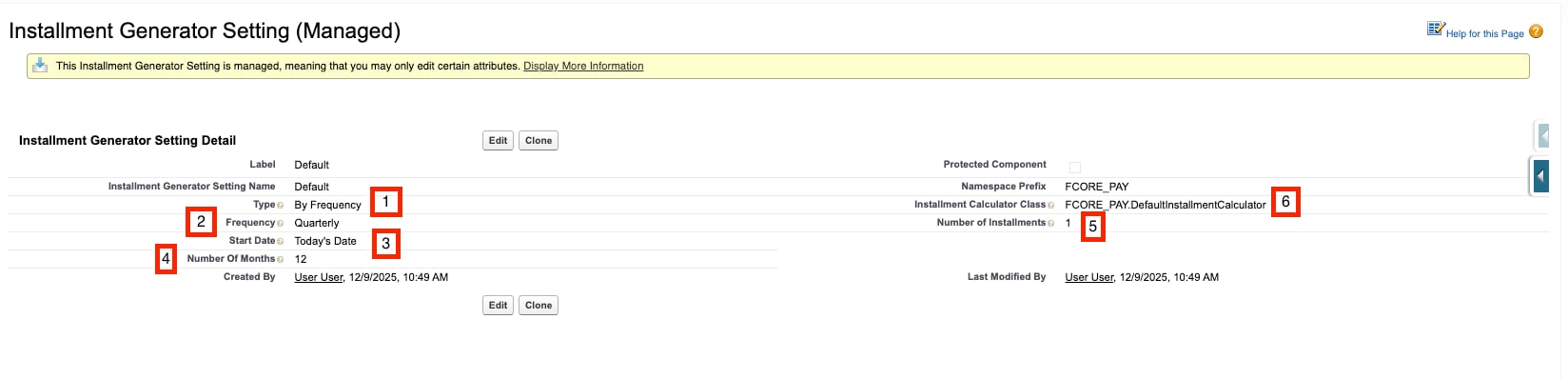
Default Installment Generator Setting record
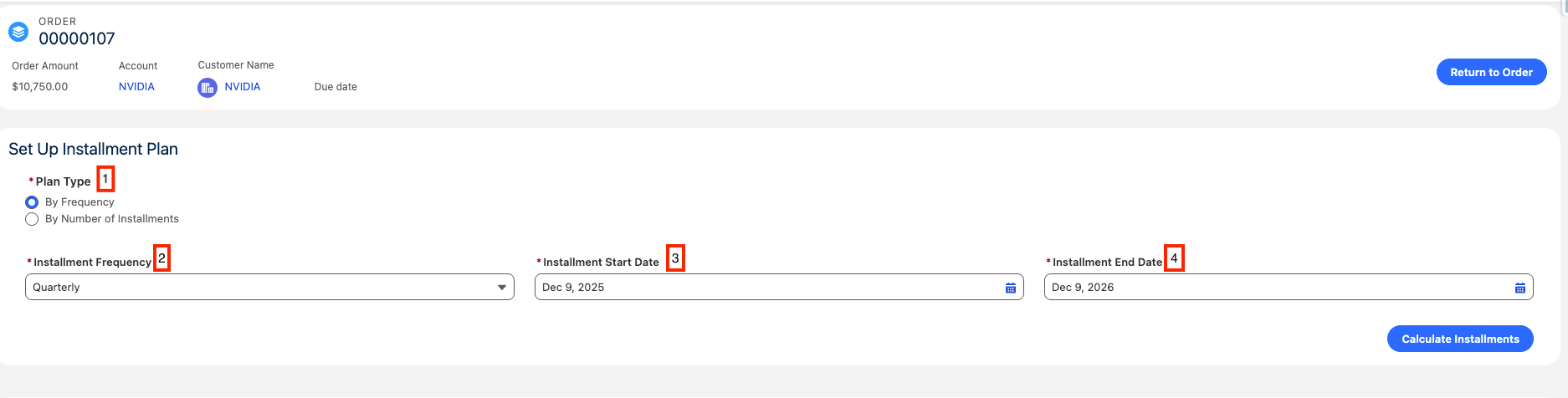
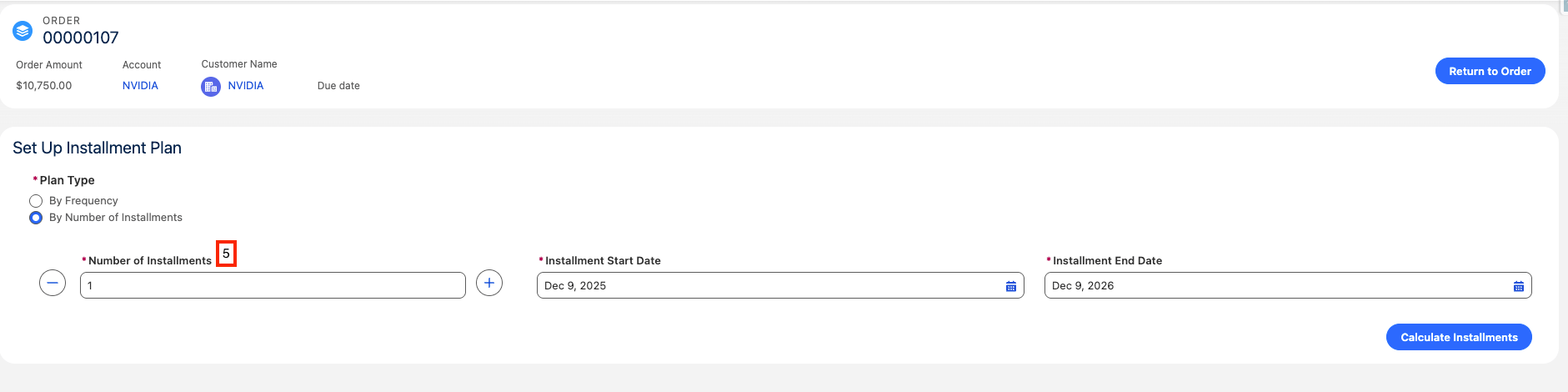
Related Constants
Two constants tune how installments behave. Constants are stored asFCORE_BASE__Constant records.
FC_Generate_Installments_Batch_Job_Size does not ship as a record. When no record exists, the code falls back to a batch size of 200. You only need to create this constant if you want a different chunk size.Limitations and Common Pitfalls
- The custom calculator must implement the interface. A class set in
Installment_Calculator_Class__cmust implementFCORE_PAY.InstallmentCalculator, or installment generation will fail. - Start Date is text, not a date field.
Start_Date__caccepts specific literal values (Today's Date,Keep Blank) rather than an actual date. A different value will not seed a usable default. - The metadata only seeds defaults. These values pre-fill the Manage Installments component; staff can still change them per Order before generating.
FC_Generate_Installments_Batch_Job_Sizeships no record. Without a record, the effective batch size is200. Do not assume a record exists when troubleshooting batch sizing.