

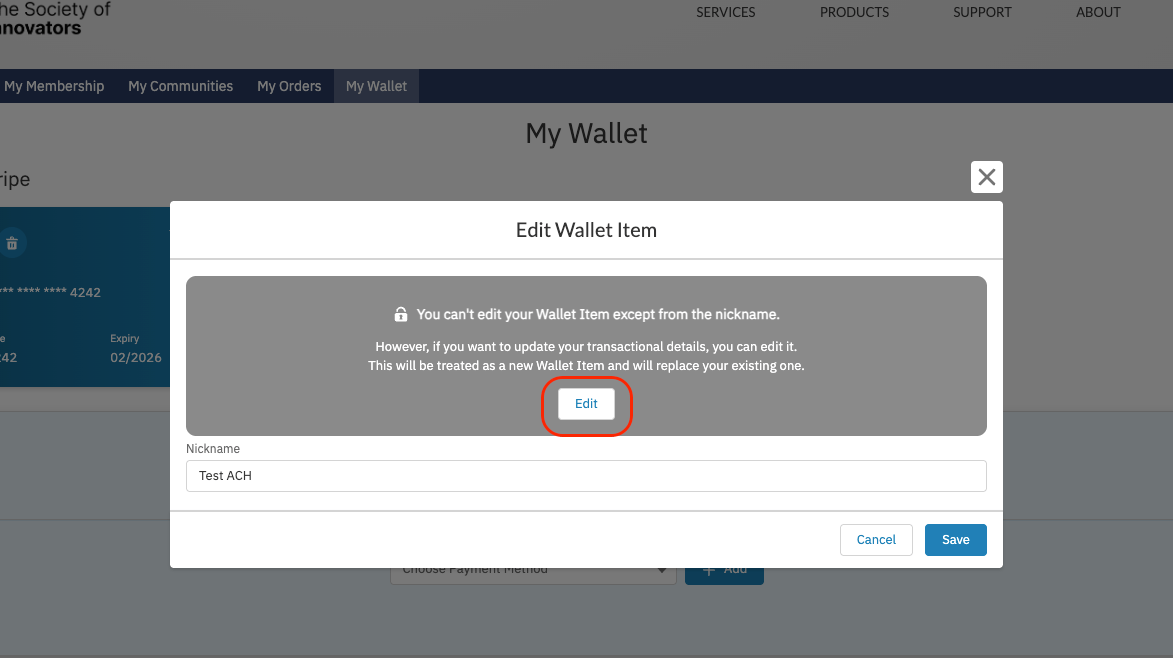
When you change any detail other than the nickname, the original Wallet Item is retired and a new one is created in its place.
Editing a Wallet Item as a Staff User
1
Open the contact's wallet
On a Contact record, click the Wallet action.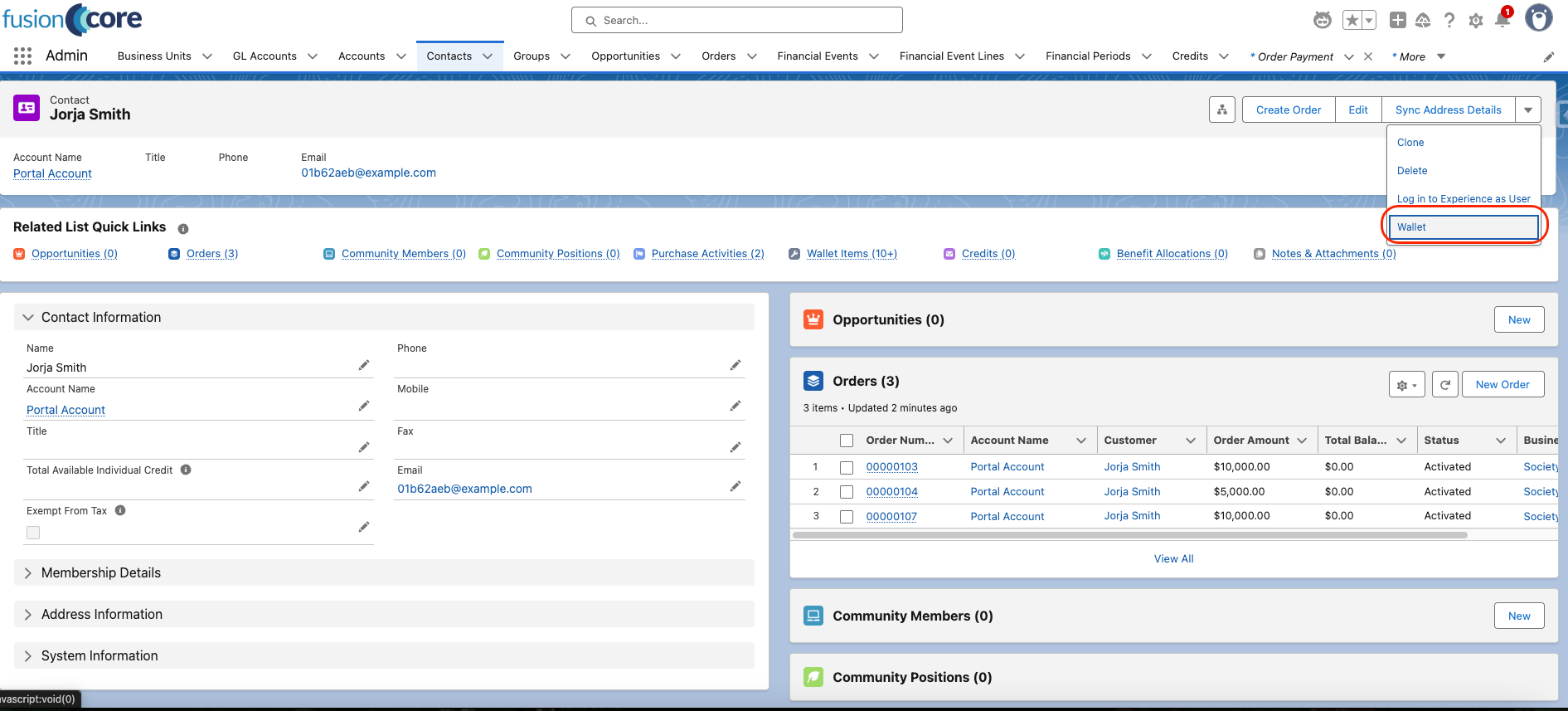
2
Edit the Wallet Item
On the wallet view, click the pencil icon for the Wallet Item you want to edit.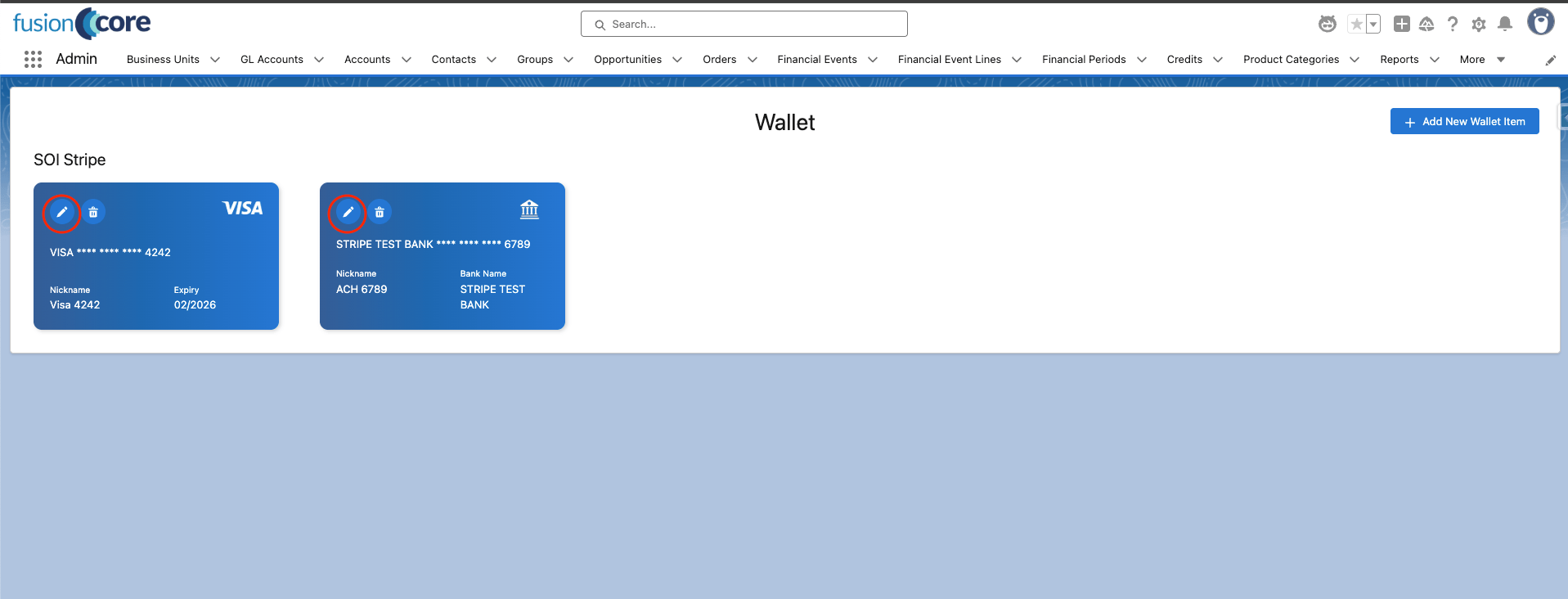
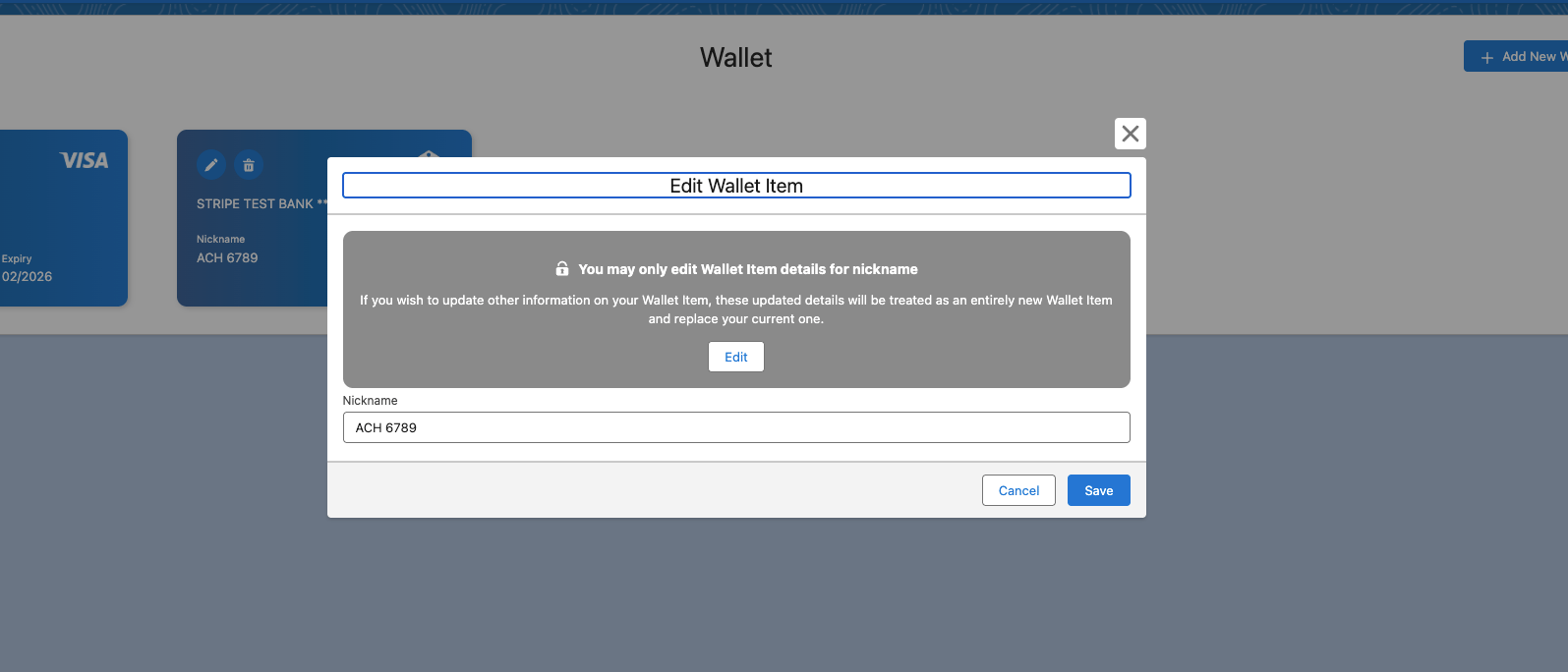
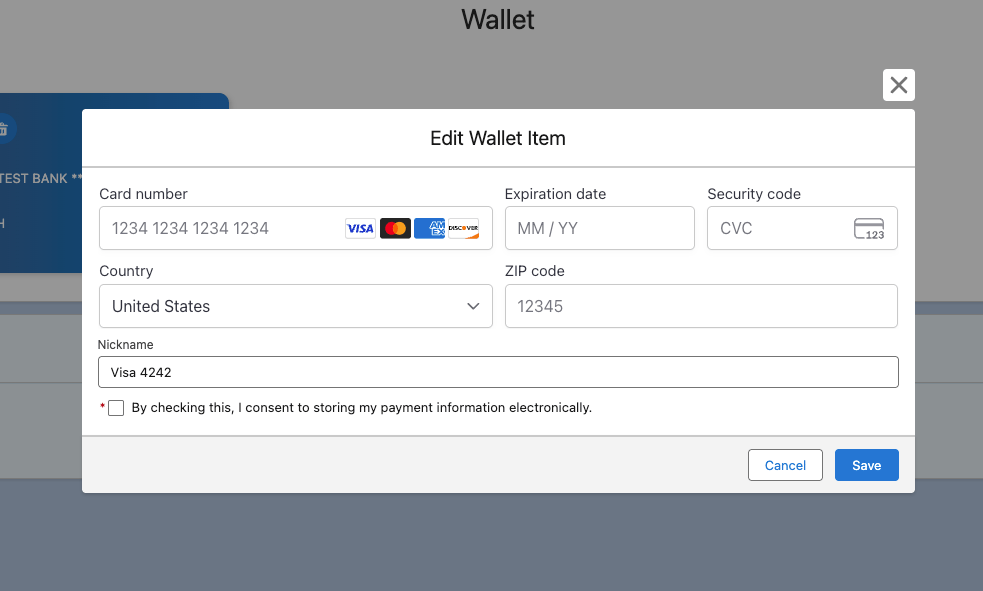
Editing a Wallet Item as a Portal User
1
Open My Wallet
In the Portal, navigate to the My Wallet tab.
2
Edit the Wallet Item
On the wallet view, click the pencil icon for the Wallet Item you want to edit.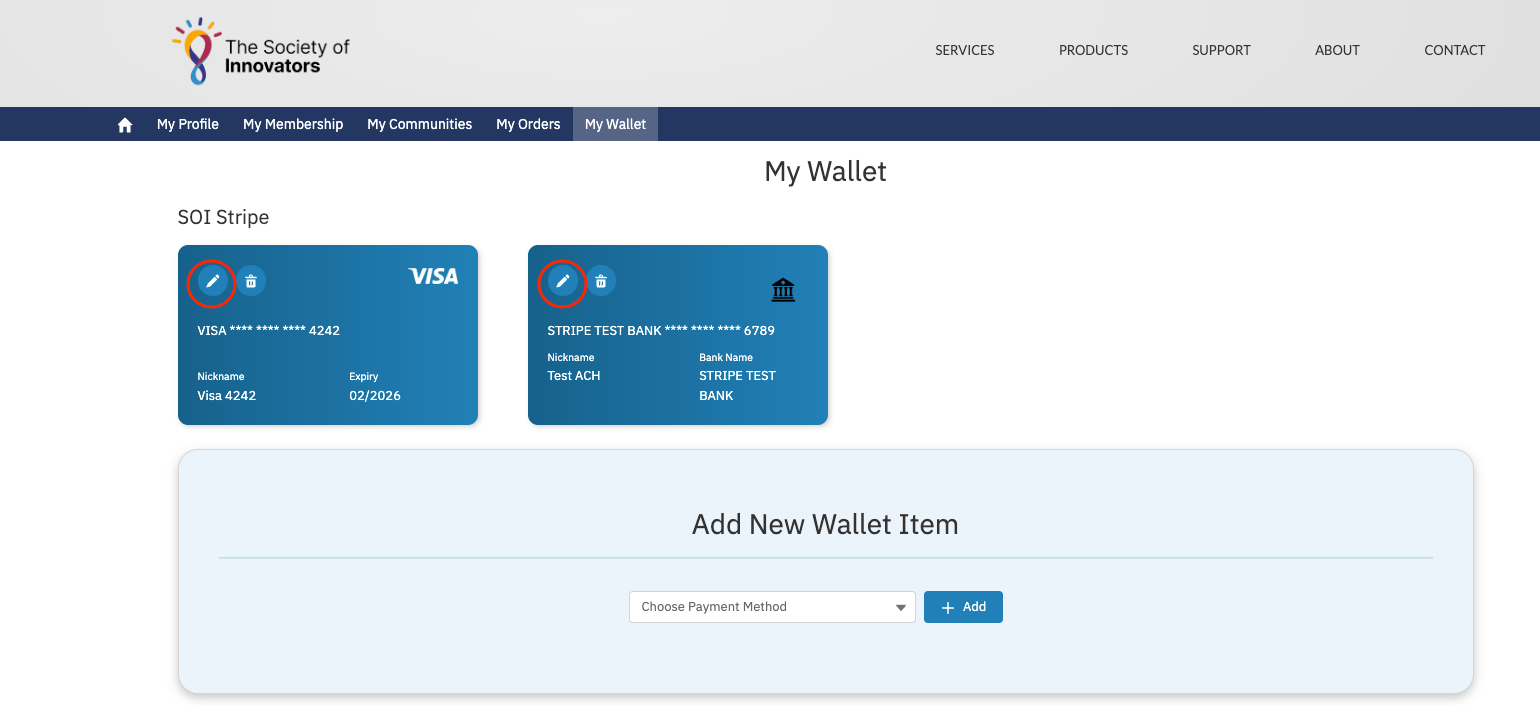
Limitations and Common Pitfalls
- Changing details replaces the method. Only the nickname can be edited in place. Any other change retires the original Wallet Item and creates a new one, because the stored payment details cannot be altered at the provider. Expect the old entry to disappear from the active list.
- Removed Wallet Items are not hard-deleted. When a Wallet Item is removed, fusionCore soft-deletes it (it sets
Is_Removed__c,Removal_Date__c, andRemoval_Reason__c) rather than deleting the record. The record persists for audit and reporting even though it no longer appears in the wallet. - Removal detaches the method in Stripe. Removing a Wallet Item fires the Stripe removal handler, which detaches the method on the provider side. Once removed, the method can no longer be used to pay and cannot be reactivated — save a new one instead.