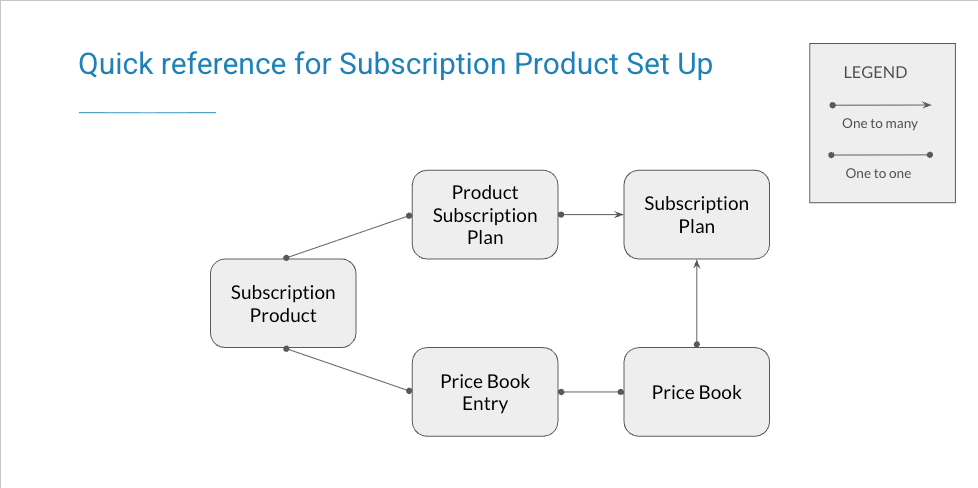
A Subscription product is a product that renews on a schedule, such as a membership. You create it much like a Miscellaneous product, but it carries subscription-specific settings and must be linked to a Subscription Plan before it can be sold.Each Subscription product is a Salesforce Product2 record created with the Subscription record type. A few fields set it apart:
Is Subscription (FCORE_MEM__Is_Subscription__c) and Is Membership (Is_Membership__c) explicitly mark whether the product is a subscription and/or a membership. The Subscription record type can be used for other purposes, so these flags state intent — not every product on the Subscription record type is itself a subscription.
Is Not Renewable (Is_Not_Renewable__c) — when checked, the product is excluded from renewals.
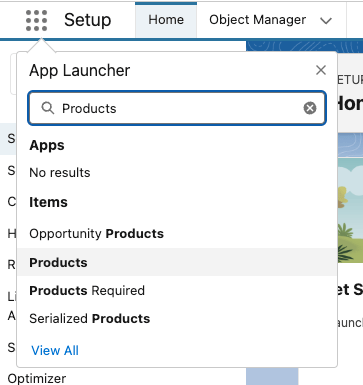
Click the App Launcher (the nine dots at the top left) and type Products, then open the Products list.
Finding Products in the App Launcher
2
Create a new product with the Subscription record type
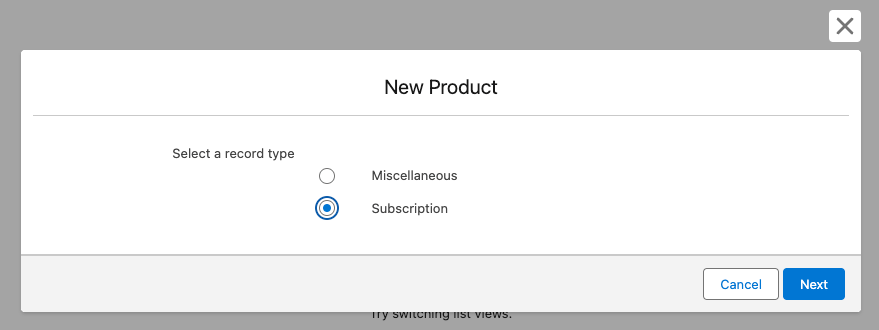
At the top right of the product list view, click New, select Subscription as the record type, then click Next.
Selecting the Subscription record type
3
Fill in the product information
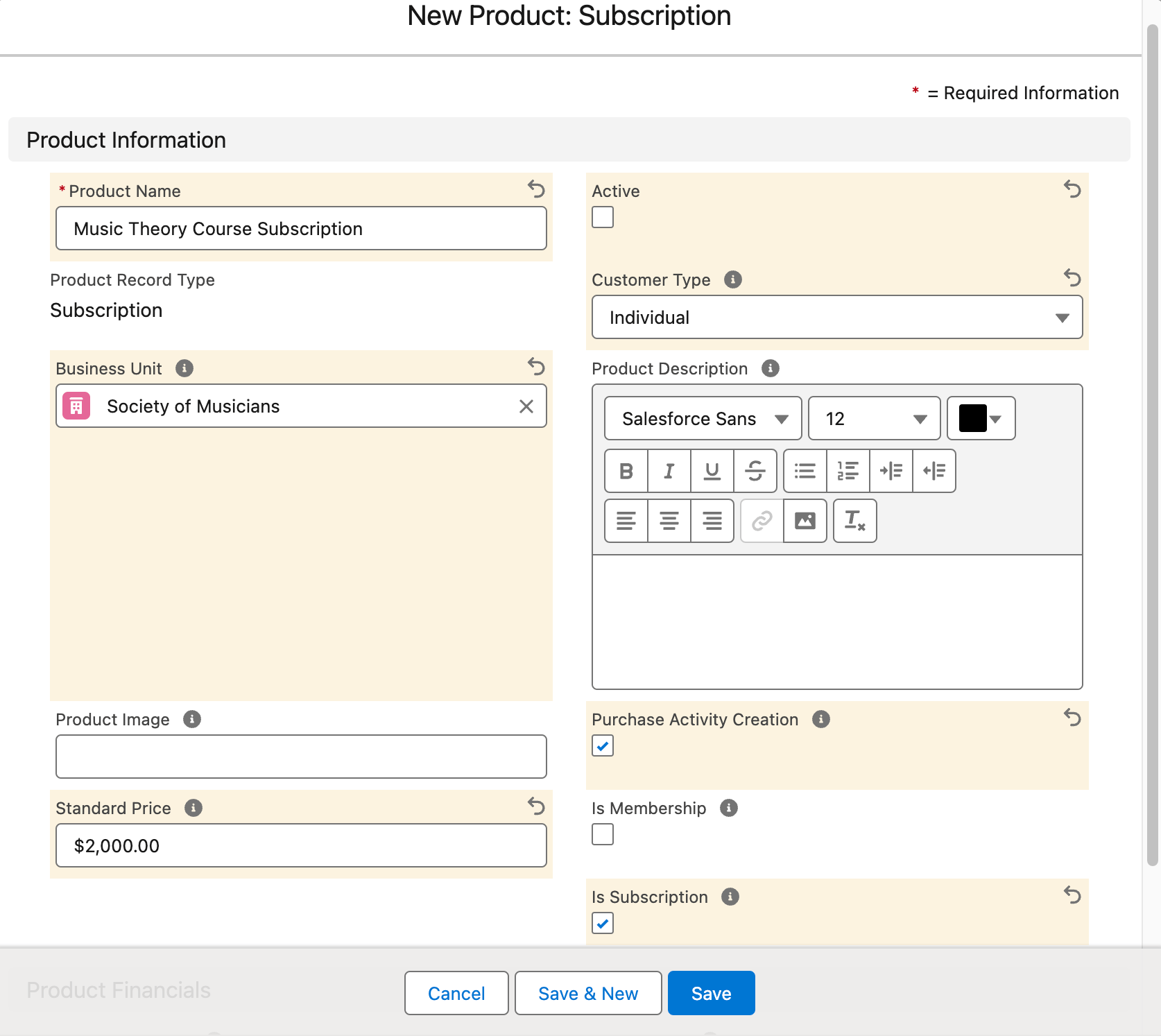
Complete the Product Information:
Name
Business Unit — required for the product to work correctly
Customer Type — Individual or Organization
Check Is Subscription (FCORE_MEM__Is_Subscription__c); check Is Membership if this product is a membership; and check Purchase Activity Creation
A/R Account
Revenue Account
The Business Unit on the GL Account must match the one on the Product record. Otherwise, an error is thrown on save.
Product Information for a Subscription product
4
Save the product (leave it inactive for now)
Click Save. Leave the standard Salesforce Active (IsActive) field unchecked until you have finished linking the product to its Subscription Plans and price books.
5
Link the product to its Subscription Plans
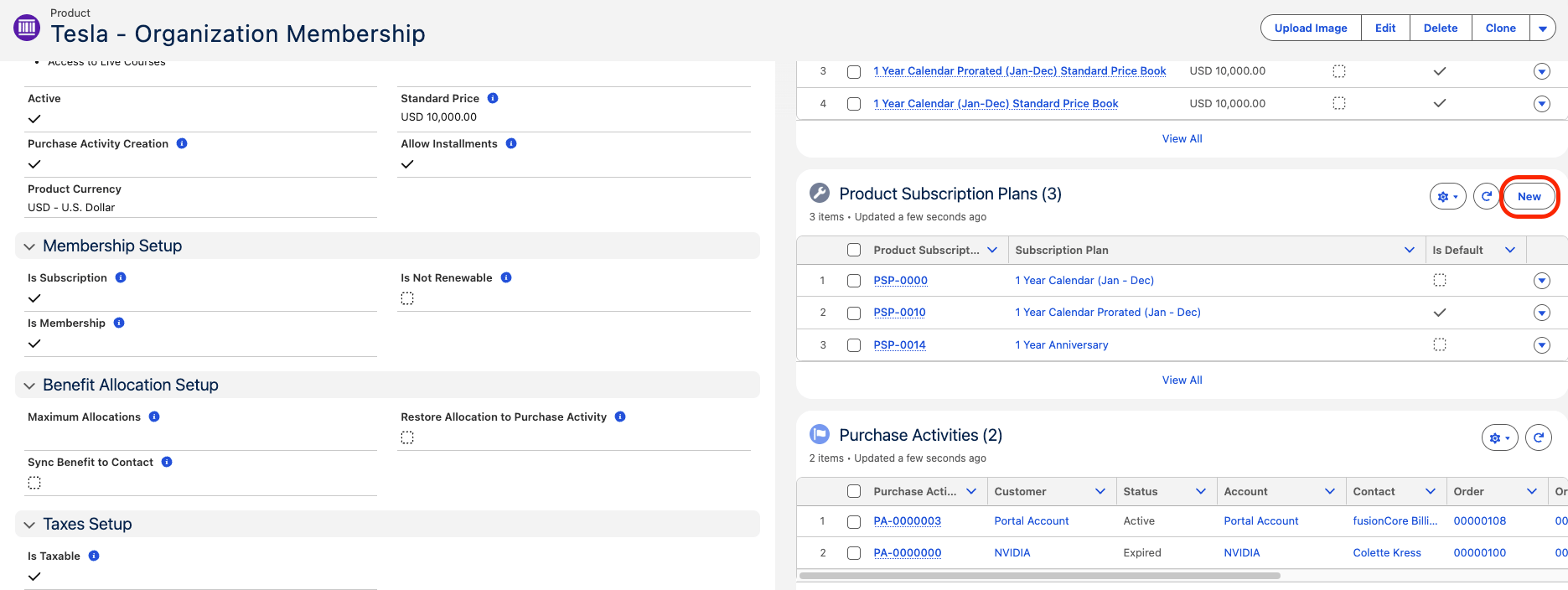
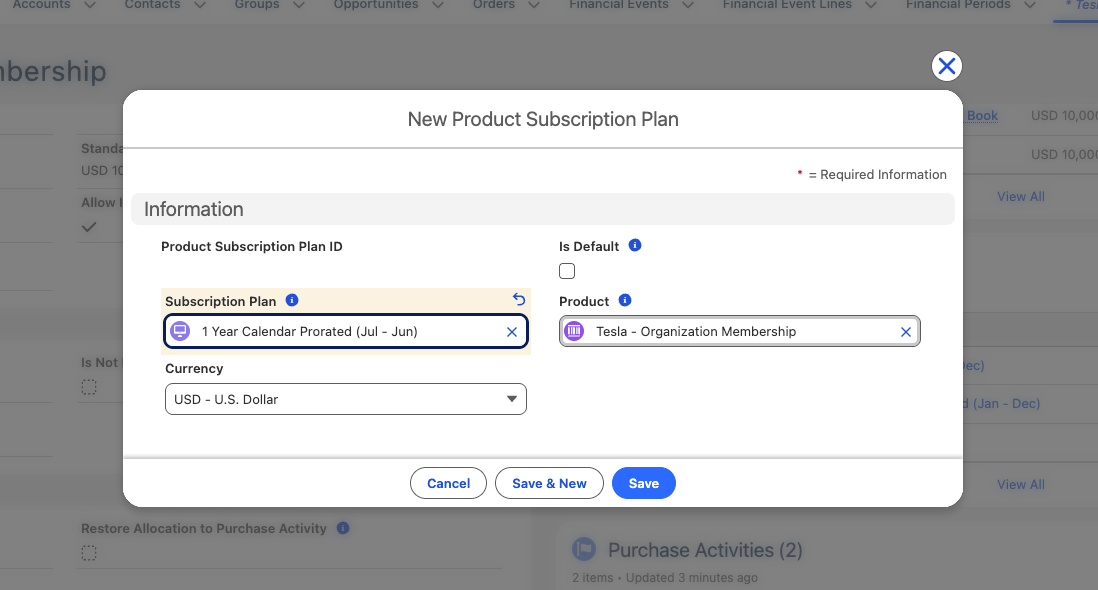
On the new Product record, go to the Product Subscription Plans related list and click New. This related list is the junction (Product_Subscription_Plan__c) that links the Product to its Subscription Plans — the link is not a single lookup field on the Product itself.
The Product Subscription Plans related list
On the new Product Subscription Plan record, set the Subscription Plan field to the plan you want to link, and check Is Default (Is_Default__c) on the one plan the product should use by default. Repeat for each Subscription Plan you want this product to use. For the default-plan rule and how to link from the Subscription Plan side, see Linking Plans to Products.
Linking the Product to a Subscription Plan
6
Link the product to the plan's price books
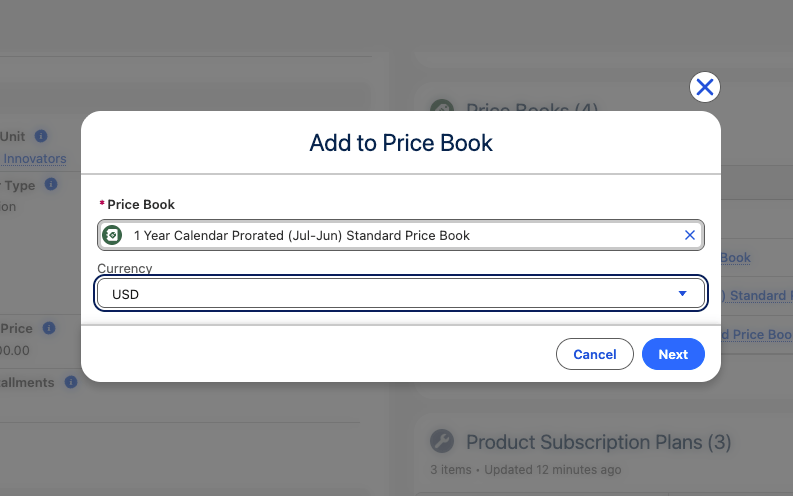
Link your Subscription product to the Standard Price Book associated with the Subscription Plan, and to any other price books linked to that plan. Do this for each Subscription Plan’s price book.
Linking the Product to the Subscription Plan's Price Books
7
Activate the product
Once the product is linked to its Subscription Plans and their price books, check the standard Salesforce Active (IsActive) field on the Product so it can be sold.
A subscription product cannot be sold until it is fully linked. Link it to a Subscription Plan and that plan’s price book before checking the standard Salesforce Active (IsActive) field.
Is Subscription is not set automatically. You must check Is Subscription (FCORE_MEM__Is_Subscription__c) yourself — nothing sets it for you.
Business Unit must match the GL Accounts. The Business Unit on the chosen A/R and Revenue GL Accounts must match the product’s Business Unit, or the save errors.
Assistant
Responses are generated using AI and may contain mistakes.