

How to Upload a Product Image
1
Open a Product record
Navigate to a Product record detail page.
2
Start the image upload
At the top right, click Upload Image.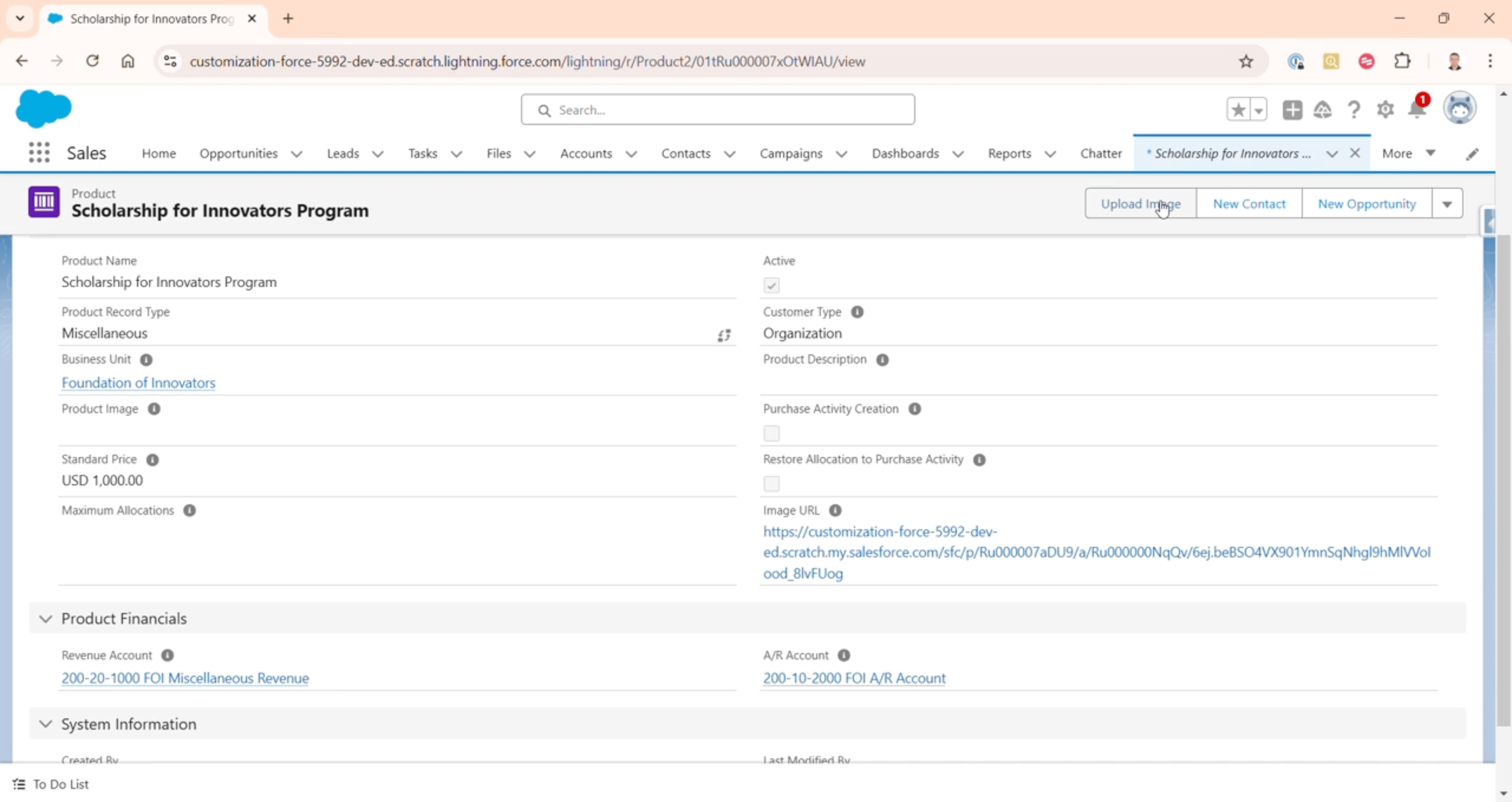
The Upload Image action on a Product
3
Choose the image file
Click Upload Files and choose the image.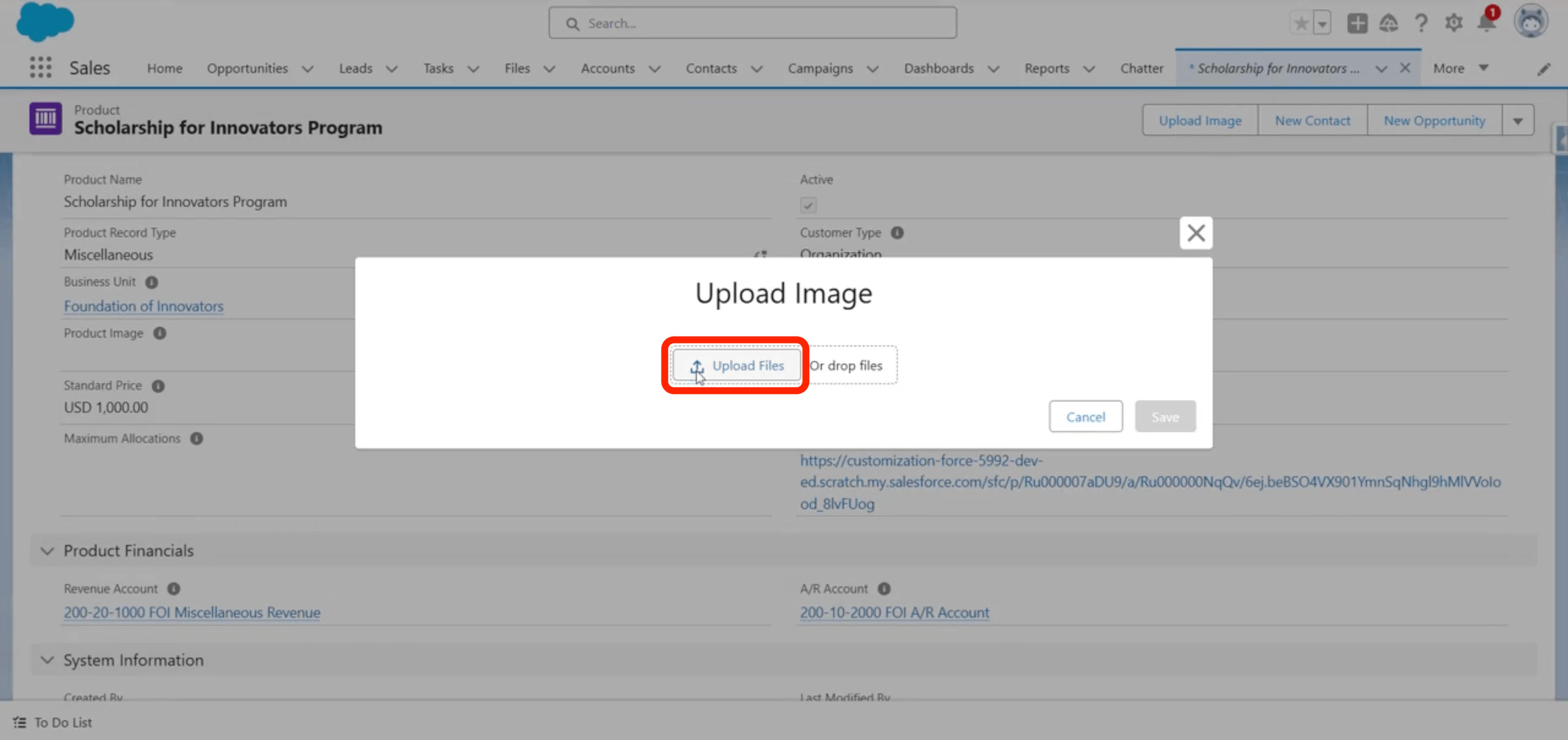
Choosing the image file to upload
4
Crop the image
Crop the image as needed.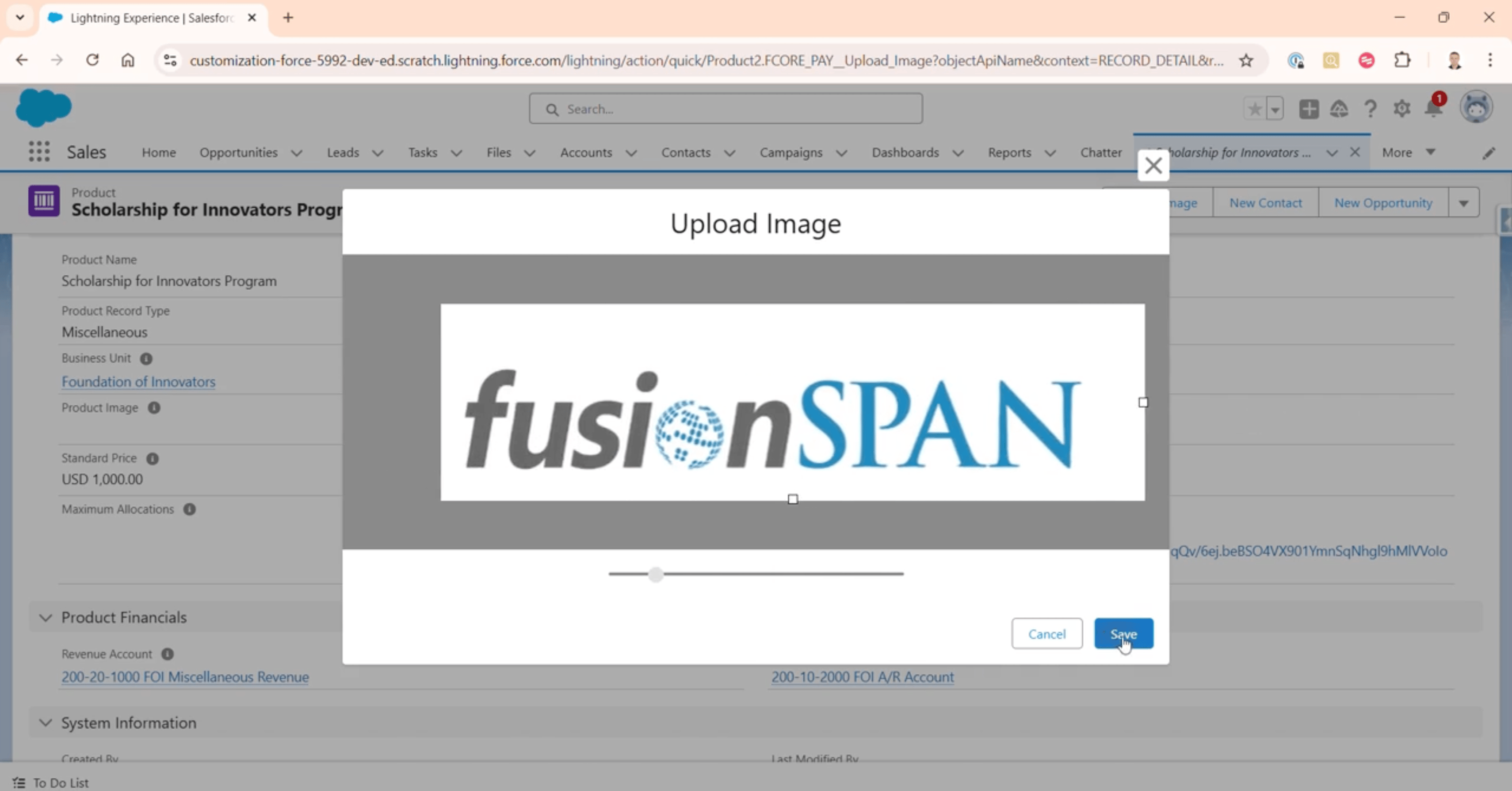
Cropping the product image
5
Save
Click Save.