

How to Create a Condition
1
Open the Conditions object
Click the App Launcher (the nine dots at the top left) and search for Conditions.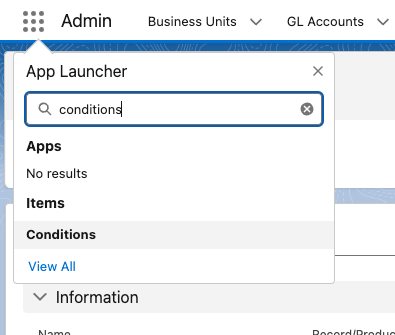
2
Start a new Condition
Click New at the top right.
3
Choose the record type
Choose the record type for the Condition you want to create: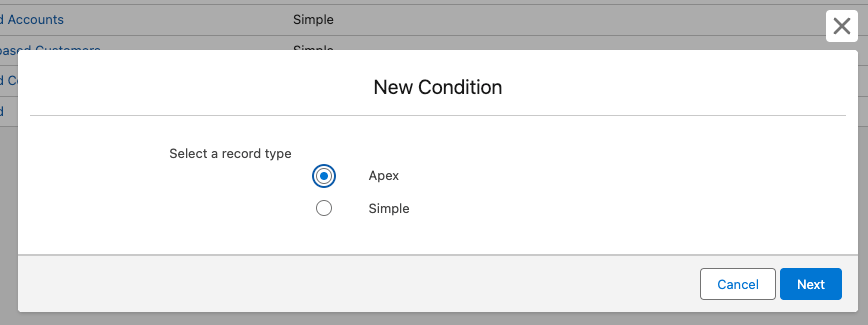
- Simple — logic built from Condition Lines in the Salesforce UI. For example, a member-renewal reminder or an early-bird event discount.
- Apex — logic handled by a custom Apex class for more complex needs, such as multi-criteria renewals or member-role-based pricing.