

Overview
The portal order page lets a logged-in member see their orders and payments — and act on them — without leaving the portal. Each row can surface action links that take the member straight to checkout, to an installment payment, or to a billing document. The order and payment lists are driven by roster settings —Roster_Setting__c records read by the FS Roster accelerator. This page explains what those settings are, the key fields that define each list, and how the order action links are assembled. It then walks you through the Apex scripts that create the records. After your records exist, you add the roster component to a portal page and style it — see Portal Order Page.
What Renders the Table
The order list is rendered by the FS Roster accelerator (unmanaged-package-roster-accelerator), a separate unmanaged package with no namespace prefix. The roster table is not part of the managed Portal package, so it must be installed in the org separately before any of the steps on this page will work.
Two pieces work together:
- A
Roster_Setting__crecord (from the FS Roster accelerator) defines what the table shows — which object, which records, and which fields and columns. - The portal Order carries the action links the table surfaces. The
Order.FS_Portal_Actions__cfield (shipped by the Portal Components package) is a formula that bundles the checkout, installment, and view-document links into a single column you can drop into the roster.
Grant your community users access to the roster before configuring it. Roster access is set up as described in the FS Roster accelerator’s own user guide.
Roster Setting Fields
ARoster_Setting__c record tells the FS Roster accelerator what to show in a roster table. For the portal order page you create one record per list you want to display.
The key fields on each record are:
Object_to_Display__c— the API name of the object the table queries. For order lists this isOrder; for payment lists it is the Financial Event objectFCORE_PAY__Financial_Event__c.Where_Query__c— a raw SOQLWHEREclause that scopes the rows. Use the:usrObjbind variable to reference the logged-in portal user, so each member sees only their own records (for example,BillToContactId = :usrObj.ContactId).Fields_Settings__c— a JSON definition of the columns (header label, field API name, and per-column options).
The Order Action Links
To surface the order action links, add theOrder.FS_Portal_Actions__c field as a column. This field (shipped by the Portal Components package) is a formula that bundles the checkout, installment checkout, and view-document links into a single column.
How to Create the Roster Setting Records
1
Open the Execute Anonymous window
In Setup, open the Developer Console, click Debug, then Open Execute Anonymous Window.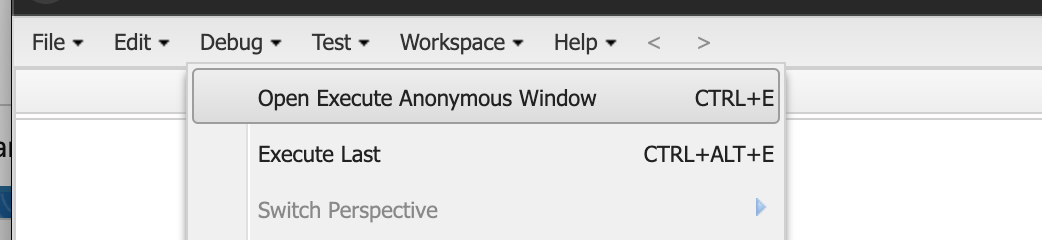
2
Run each script
Paste each script below into the window and click Execute. Run the snippets one at a time, in order.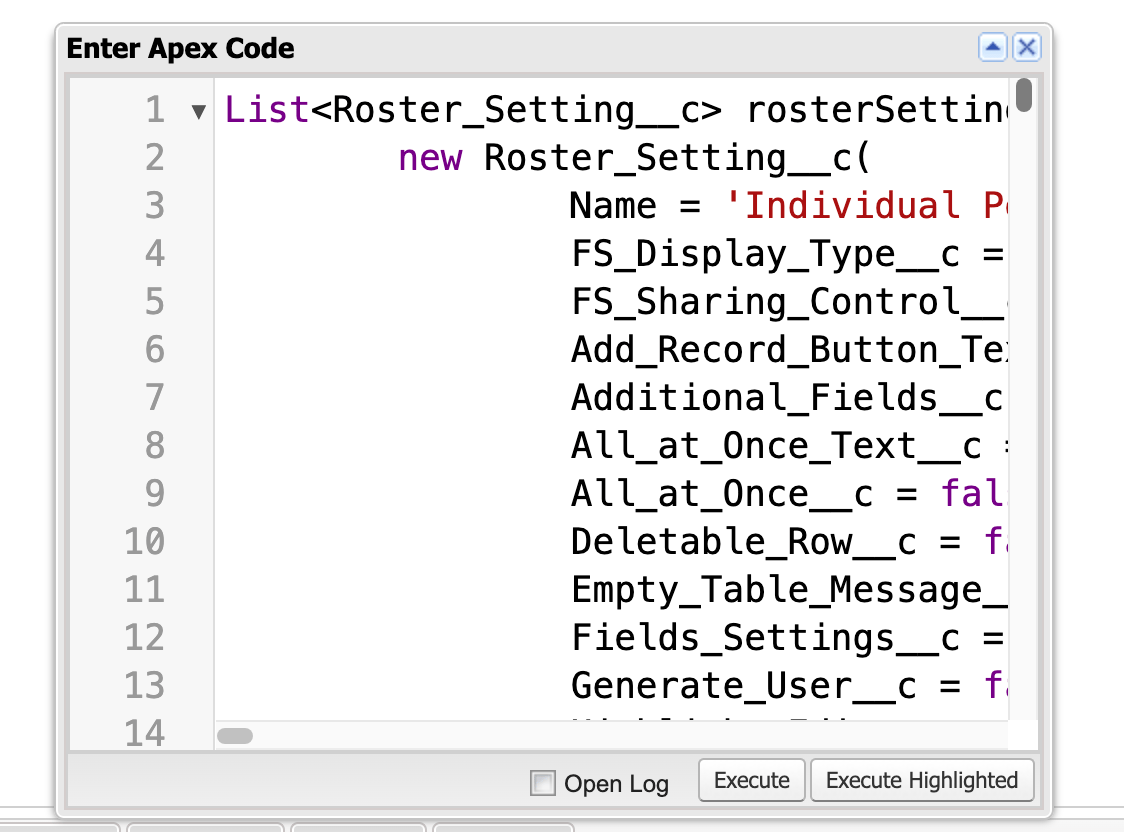
3
Confirm the records were created
Running all of the scripts creates the following
Roster_Setting__c records, which you point portal pages at next:- Pending
-
- All Pending Orders
- Individual Pending Orders
- Company Pending Orders
-
- All Pending Payments
- Individual Pending Payments
- Company Pending Payments
-
- Completed
-
- All Completed Orders
- Individual Completed Orders
- Company Completed Orders
-
- All Completed Payments
- Individual Completed Payments
- Company Completed Payments
-
Limitations and Common Pitfalls
- The roster table is a separate package.
Roster_Setting__cand the roster component belong to the FS Roster accelerator (unmanaged-package-roster-accelerator), not the managed Portal package. If the accelerator is not installed in the org, these scripts fail and the roster component has nothing to render. Install it first. - No order or payment roster record ships out of the box. fusionCore does not include a packaged order/payment
Roster_Setting__c. You create the records yourself with the scripts above; nothing appears until you do. Where_Query__cis raw SOQL you write — a missing user filter leaks records. The clause runs without sharing, so if you omit a:usrObjfilter (for example,BillToContactId = :usrObj.ContactId), the table returns every matching record across all members, not just the logged-in user’s. Always scope each query to the current user.- Half-configured Business Units produce blank action links. The
FS_Portal_Actions__clinks render empty — with no error — unless the Business Unit’sFCORE_PORTAL__Portal_URL__c,FCORE_PORTAL__Portal_Checkout_Page_Path__c, andFS_Portal_Installments_Page_Path__care all set. - The installment link is conditional. The installment portion of the action links only appears when the order’s next installment is populated (
FCORE_PAY__Next_Installment__c). A blank installment link on an order with no upcoming installment is expected.