

Prerequisites
- You have the FC Platform - Manage Async Jobs permission set.
- The tabs for Job Groups, Job Runs, Job Run Stages, and Job Errors are not in any fusionCore app’s navigation. Open them from the App Launcher.
Find a Run
Start from whichever record you have:- Job Group: Open the record. Last Run links to the most recent run, and the Job Runs related list shows all runs. The Job Errors related list shows errors across runs.
- Job Runs tab: Open it from the App Launcher to list every run. Runs are named
JR-followed by a number.
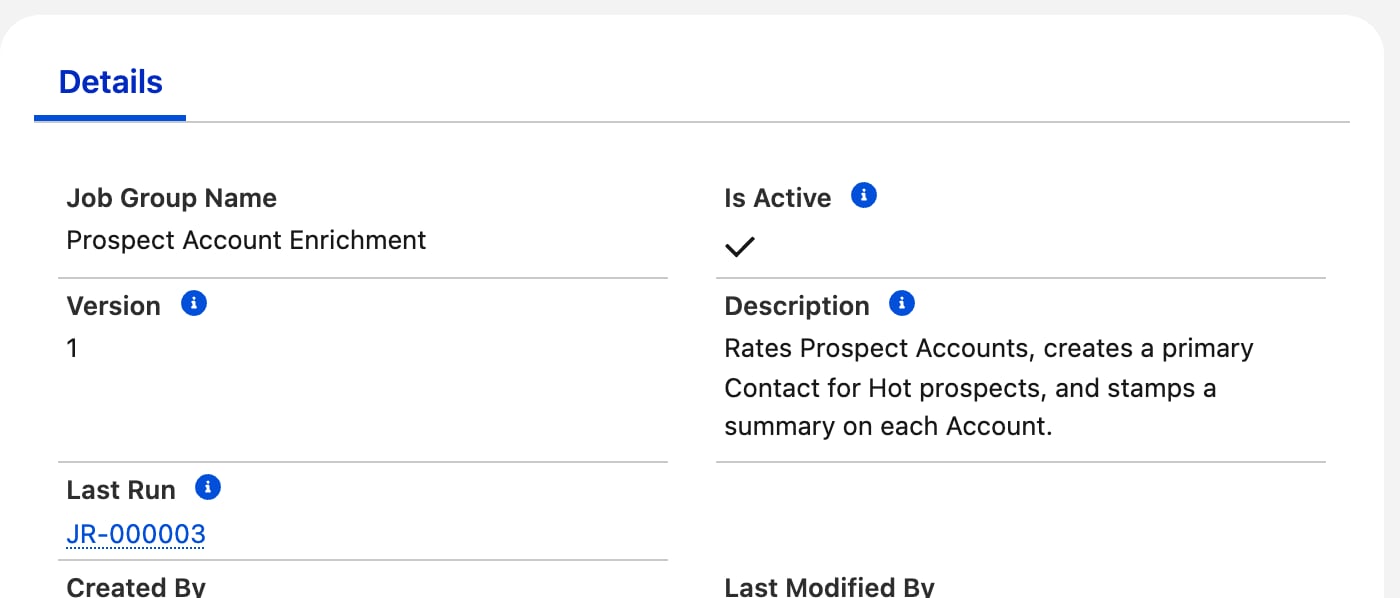
Last Run on the Job Group record
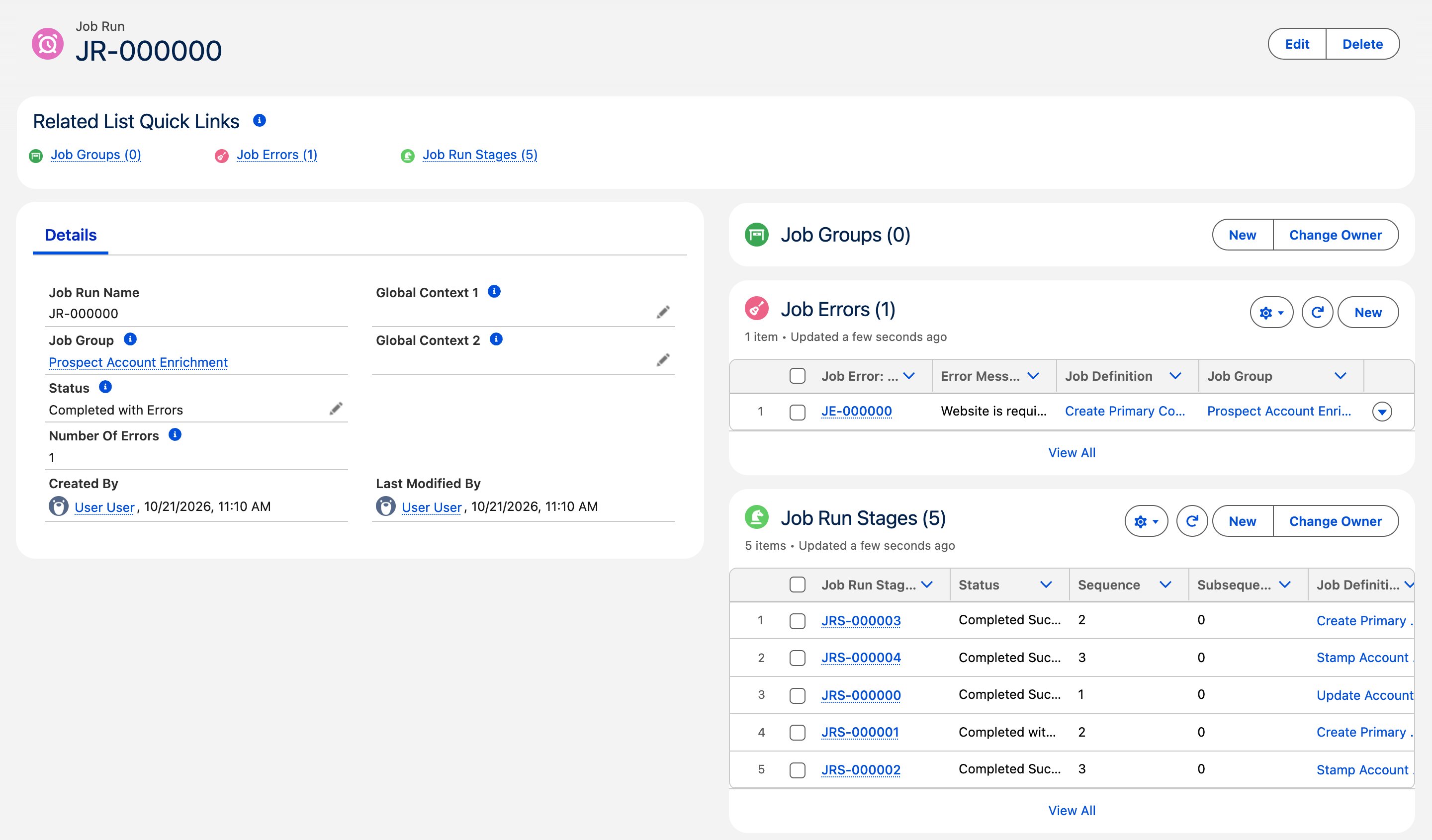
A Job Run that finished with one error
Read the Status
A Job Run and each Job Run Stage use the same four statuses. The table gives the meaning for a run, then for a stage.Number Of Errors on the Job Run is the authoritative signal. Use it to decide whether a run needs attention.
Read the Stages
A Job Run Stage is one step’s execution. Open it from the Job Run Stages related list on the Job Run. Stages are namedJRS- followed by a number.
A stage with no records finishes immediately as Completed Successfully.
Read the Errors
Open a Job Error from the Job Errors related list on the Job Run, the Job Run Stage, or the Job Group. Errors are namedJE- followed by a number.
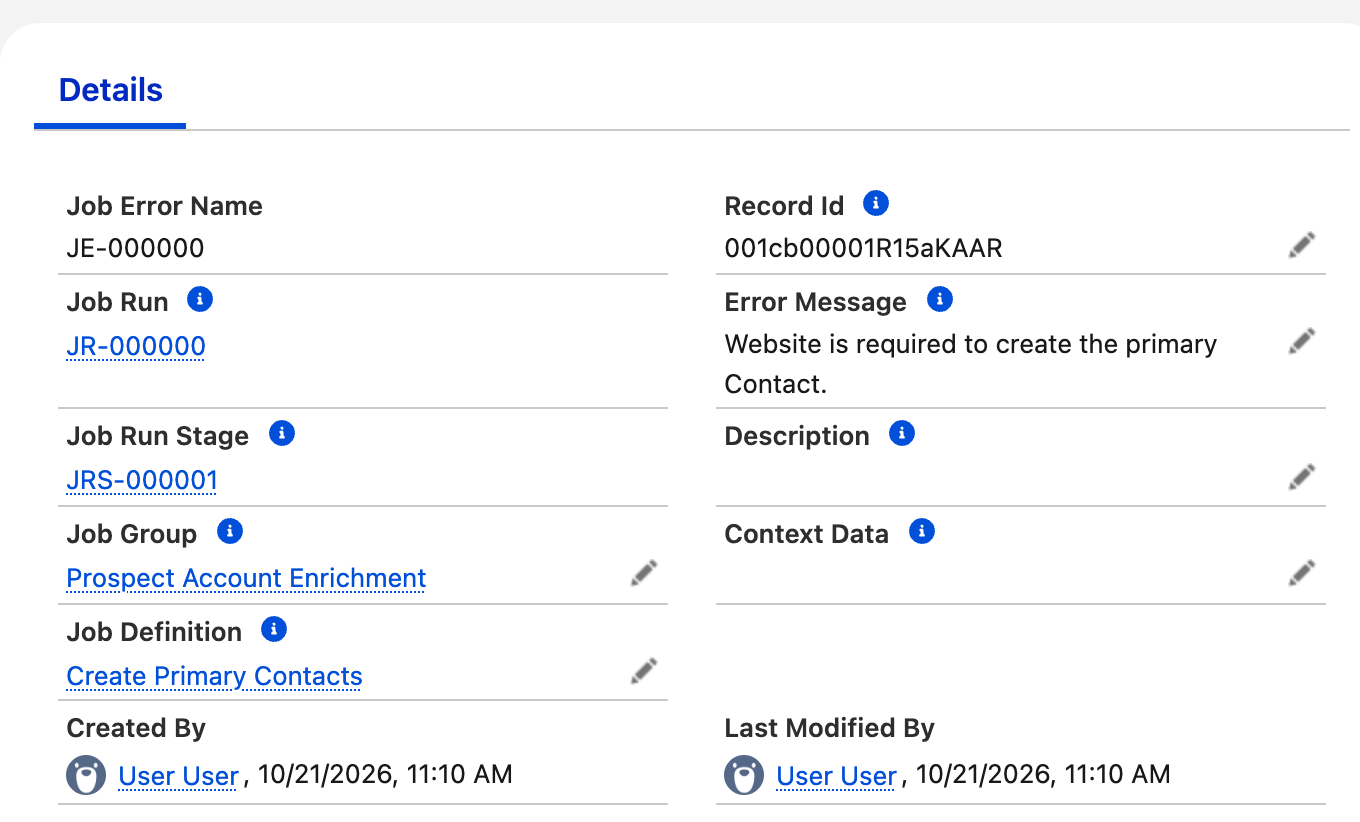
A Job Error record
How Retries Appear
After all regular stages finish, fusionCore retries failed records once. A retry stage repeats an earlier step’s Sequence and has a higherJRS- number than the regular stages.
- Records that succeed on retry have their Job Errors deleted.
- If the step’s class reports only successes from
executeRetry(the recommended pattern), records that fail again keep their original Job Error and no new one is added. - A retry stage can show Completed Successfully even though its records failed again, because it logged no new errors. The Job Run then stays Completed with Errors. Trust Number Of Errors.
- Unhandled exceptions are never retried.
Find the Schedule
A Job Group’s schedule appears in Setup, Scheduled Jobs, with a name in the formJobGroupRun_<Job Group Id>. Change the schedule in the Job Group Manager, not here. See Managing Job Groups.

A Job Group schedule in Setup, Scheduled Jobs
Limitations and Common Pitfalls
- A run can stay Pending indefinitely. If no batch slot is free when a run starts, its stages wait. Capacity is rechecked only when another stage of the same run finishes, so a run with nothing running never starts on its own. Because any Batch Apex job in the org uses a slot, other jobs can hold a run back. A run can also stall the same way partway through and stay In Progress.
- A Pending run blocks saving the Job Group. The Job Group Manager shows a banner with View Run links. There is no Cancel action: to clear a stuck run, open it with View Run and delete the Job Run. Its Job Run Stages are not deleted with it; they remain with a blank Job Run and have no effect on later runs. If it was the group’s latest run, Last Run on the group becomes blank until the next run starts. The next scheduled run starts fresh.
- There is no Cancel button. You cannot stop a run from the UI.
- A retry stage’s status can mislead. Check Number Of Errors on the Job Run, not the retry stage’s status.
- Errors without a Record Id are not retried. Read the Description for the stack trace.
- Run-level problems are written to Log records. fusionCore creates a Log (
FCORE_BASE__Log__c) record when a group has no Job Definitions (no run is created) and when a run finishes with errors.
Related Features
Async Job Coordinator Overview
How runs, stages, and retries work.
Async Job Coordinator Example
See a run with errors, then a clean run.